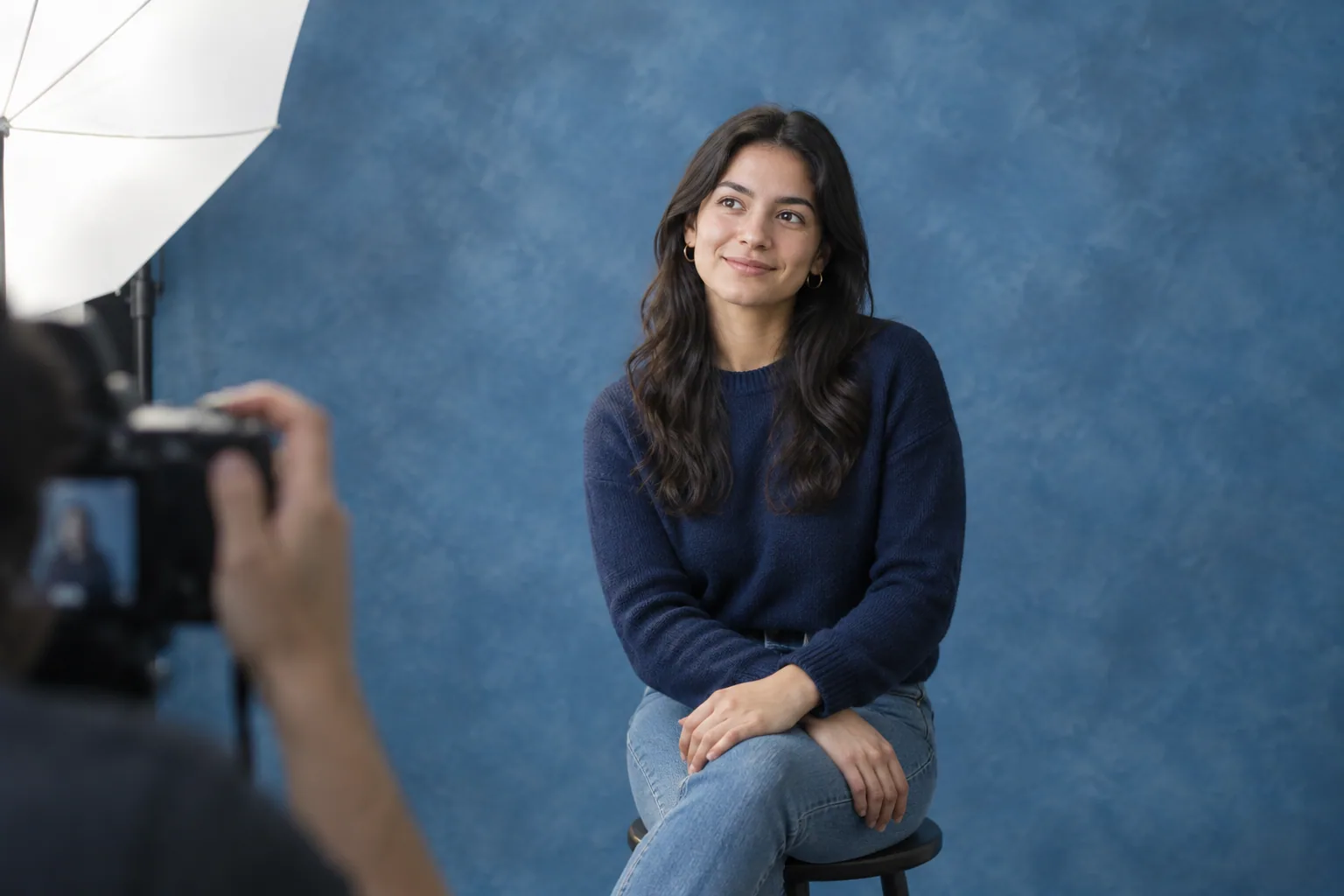
AI yearbook portraits are useful for trying retro outfits, backdrops and hairstyles without arranging a shoot. Real portraits record how you actually looked, dressed and posed at a particular session, though they may still be retouched. Choose AI for a yearbook-inspired experiment, and choose photography when documenting the real moment matters.
AI yearbook photos vs real photos at a glance
A nostalgic Instagram portrait and a photo submitted to a school yearbook have different jobs. The first can be a creative interpretation of you; the second must meet the school’s current requirements. Neither approach is universally better.
| What matters | AI-generated yearbook-style portrait | Real photographed portrait |
|---|---|---|
| Likeness | Can resemble you closely, but may alter facial features or proportions | Records your appearance during the shoot; retouching can change details afterward |
| Styling flexibility | Lets you explore generated clothing, hair and settings without physically arranging them | Uses the clothes, styling, backdrop and lighting available at the session |
| Time | Requires choosing selfies, generating images and checking results | Requires scheduling, preparation, shooting and delivery |
| Cost structure | Check purchases or subscriptions, generation limits and download options | Check session fees, included files, prints and retouching charges |
| Retakes | Additional generations may change both the styling and your likeness | You can adjust your pose during the shoot; a later reshoot may cost extra |
| Official submission | Do not assume generated images are permitted | Still needs to meet school rules, including any designated-photographer requirement |
A convincing image is not necessarily an accurate portrait of you. Judge resemblance separately from how polished the picture looks.
How likeness and small details differ
AI synthesizes a new portrait using your reference selfies. It does not document you wearing that sweater, standing against that backdrop or attending a school photo session. A retro result is an imagined yearbook-style portrait, not an accurate reconstruction of a photograph from your past.
A camera captures what was in front of it, but the delivered image may include skin smoothing, stray-hair removal or other edits. Ask the photographer: “What retouching is included, and can I request a lightly edited version that keeps my facial features unchanged?”
Compare the result with a recent, unfiltered selfie
Put an AI portrait beside a clear, recent selfie with a similar head angle and expression. Compare them at similar sizes, then zoom in. Use the same check on a photographer’s edited proof if you want minimal changes.
- Face: Check eye spacing, nose shape, jawline, smile and visible teeth. A flattering result can still change your recognizable features.
- Hair: Look at the hairline, part and edges around your ears. Check that texture does not turn into blurry strands.
- Glasses: Inspect both arms, frame shape and reflections. Make sure the frame connects sensibly around your face.
- Clothing: Follow collars, buttons, stripes and seams. Look for invented lettering or details that merge together.
- Hands and accessories: If visible, inspect fingers, earrings and necklaces rather than judging only the face.
- Background and lighting: Check whether shadows make sense and whether hair or shoulders blend into the backdrop.
For several AI portraits, compare the outputs with each other too. If your eye shape, hairline or facial proportions change between images, select for likeness rather than treating every result as equally usable. For a profile image where recognition matters, a current real photo is the simpler choice if the generated versions keep drifting.
Compare the full cost, not just the starting price
AI purchases and photography packages do not necessarily include the same deliverables. An inexpensive preview is not equivalent to a downloadable file suitable for printing, and a session fee may not include the digital photos you want.
| Before paying, check | AI service | Photographer |
|---|---|---|
| What the payment covers | One purchase or recurring subscription; included styles or generations | Session length, outfit changes and locations |
| What you receive | Number of downloadable images, resolution and watermark terms | Number of edited files, download rights and included prints |
| Extra attempts or edits | Whether additional generations require another purchase | Charges for extra retouching, files or reshoots |
| Final output | Whether the available download meets your intended use | Whether digital files, prints or albums are separate purchases |
For AI, ask: “Does this purchase include full-resolution downloads, and does it renew?” For a photographer, ask: “What is the total for the session and the edited digital files I need, without prints?”
Count preparation and selection time for both options
The AI workflow includes finding suitable selfies, uploading them, reviewing outputs and possibly trying again. Do not base your deadline solely on generation time. Poor inputs can mean more work before you find a usable portrait.
A real session adds scheduling, travel, clothing preparation and shooting, followed by selection and editing. Ask for the final-file delivery date, especially if you have a yearbook deadline, rather than only asking when the shoot can happen.
Which option fits your yearbook plans?
For a nostalgic Instagram post, try AI
AI suits a playful portrait with a retro outfit and studio backdrop that you do not need to recreate physically. Once that fits your intended use, explore the yearbook portrait style for visual direction.
Label the post “AI-generated yearbook-style portrait” rather than presenting it as an authentic archival school photo. That keeps the nostalgic styling without implying the session really happened.
For several outfit ideas, use AI as a visual shortlist
Try different collar shapes, sweater styles or backdrop colors before buying clothes or booking a session. Treat the outputs as styling references, not evidence that a particular garment will fit or photograph exactly that way. These retro portrait prompt ideas can help you describe the look more precisely.
For a current graduation keepsake, favor a real session
Choose photography if you want a record of your actual graduation outfit, campus or celebration. Bring the items you want documented, such as your cap and gown, and ask for both a close portrait and a wider image showing the setting.
An AI version can be a separate creative extra. It cannot replace the record of you being there in those clothes on that occasion.
For an official yearbook, check the rules before paying
Ask the school or yearbook coordinator for its current photography and submission requirements. Do not assume an AI-generated portrait will be accepted. Also check whether you must use a designated photographer before arranging your own session.
You can send this message:
“Could you send me the current portrait requirements, including any designated photographer, rules on AI-generated images and retouching, crop, background, file type, minimum pixel dimensions and submission deadline?”
For print, assess the actual downloaded file, not a screenshot or social-media preview. Zoom in to inspect facial detail and hair edges, and confirm that the crop leaves enough room around your head and shoulders. A file can meet the required dimensions while still containing visible generated errors.
Try an AI version before booking a session
If your goal is an optional social portrait or a styling experiment, you can test the idea before committing to a shoot:
- Collect a few clear selfies of yourself. Use even lighting, no beauty filters and a mix of front-facing and slightly turned views. Keep your face unobstructed. Follow this guide to choosing reference selfies for AI portraits before uploading.
- Create your personalized model in Selfie AI. The app builds it from a few of your own selfies so you can explore portrait styles without arranging a shoot.
- Describe the yearbook-inspired look if you have premium custom prompts. For example: “Yearbook-inspired studio head-and-shoulders portrait of me, navy crewneck sweater over a white collared shirt, mottled blue-gray backdrop, soft frontal lighting, relaxed closed-mouth smile.” This describes a target, not a guarantee of exact results.
- Check likeness before choosing a favorite. Use the side-by-side checklist above, then inspect clothing, glasses and background details in the downloaded image.
- Compare it with what you would book a photographer to deliver. Decide whether you only need one creative social post or still want photographs of your real outfit, setting and milestone.
Before spending more on either option, write down your required deliverables: where the image will appear, whether it must document a real occasion, and what file specifications it needs to meet. Use that list to judge the AI result or request a photography quote.