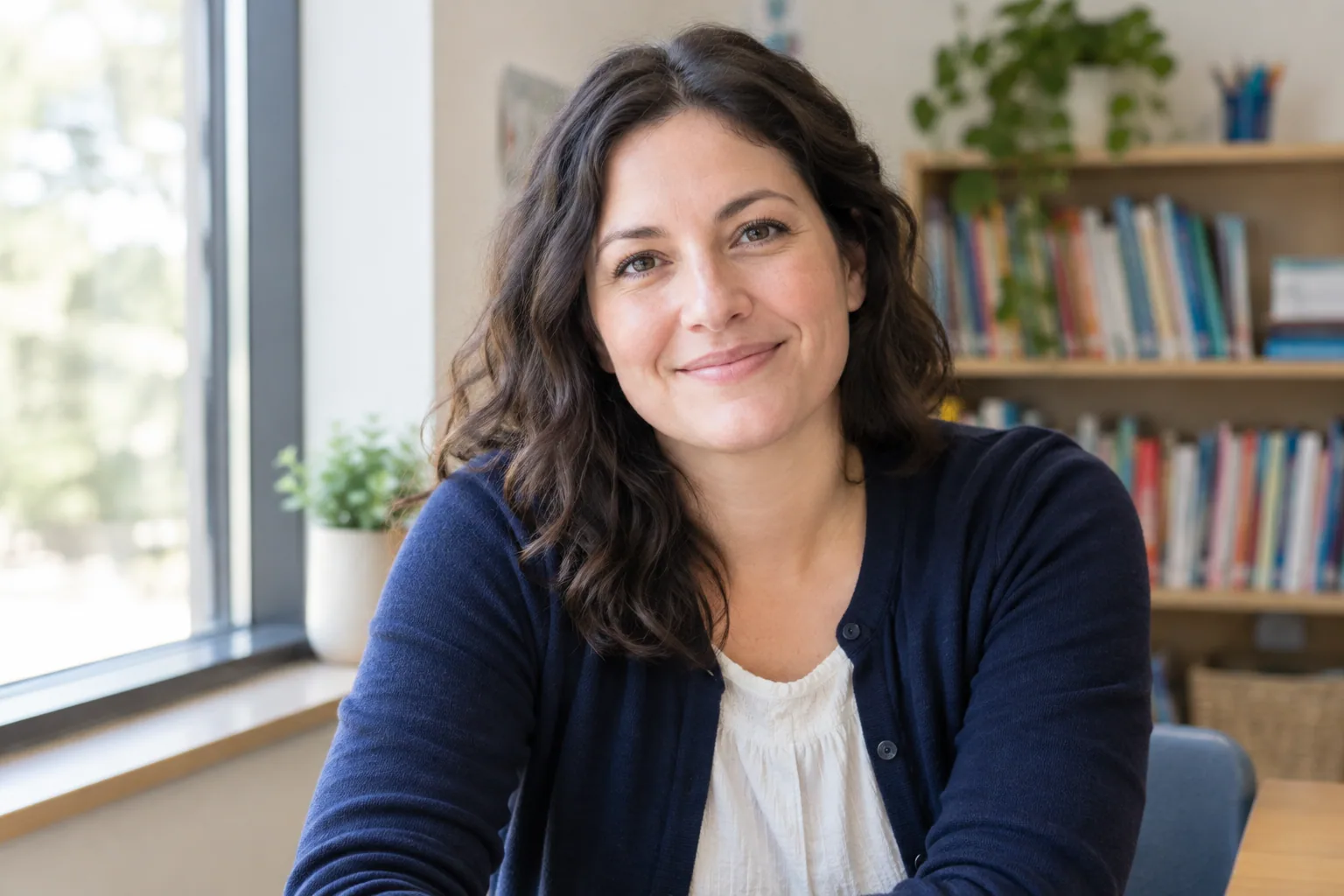
You can create an AI yearbook-style portrait of yourself as a teacher, but using it in an official school yearbook depends on your school’s submission rules. Aim for a recognizable adult staff portrait with simple clothing, an uncluttered background, and a natural expression. Get approval before paying for an export or submitting the image.
Can teachers use AI yearbook photos?
An AI-generated portrait is not an actual photograph, even if it looks realistic. It creates an image from your selfies rather than documenting how you looked in front of a camera at that moment.
For a personal yearbook-style post, you have room to experiment with clothing and backgrounds. For an official staff page, the coordinator’s rules come first. A believable result does not automatically make it acceptable.
If you’re deciding between generating a portrait and arranging a photo, compare the practical differences between AI yearbook portraits and real photos before choosing your submission method.
Check the school’s photo requirements first
There is no universal school specification you can safely apply to a teacher portrait. Published requirements differ: Siuslaw’s yearbook guidance addresses background and image specifications, while Hilhi’s portrait requirements cover resolution and submission details. These are examples, not permission to use generated staff portraits at your school.
Ask your yearbook coordinator to confirm:
- AI permission: Are generated portraits allowed for staff? Is disclosure or advance approval required?
- Photographer: Must you use the designated school photographer?
- Background and clothing: Is there a required backdrop, color, or dress standard?
- Framing: Head-and-shoulders or chest-up? How much space should remain above your head?
- File specifications: Which format, minimum pixel dimensions, print size, and resolution are required?
- Submission details: What are the deadline, filename format, and upload method?
You can send this message:
“May I submit an AI-generated portrait based on my own current selfies for the staff yearbook page? If so, please send the background, crop, file, and disclosure requirements. If not, should I use the school photographer or submit a current real photo?”
If generated portraits are not accepted, use a current real photograph that meets the school’s requirements. Don’t try to make an AI image pass as a camera photograph.
Choose a style that fits a staff yearbook page
Start with the look of the existing staff page. A portrait that matches its crop, background, and formality will be easier to assess than one with a completely different style.
| Portrait idea | Framing and expression | Clothing | Background and light | Best use |
|---|---|---|---|---|
| Neutral studio | Head-and-shoulders, facing the camera, relaxed smile | Solid cardigan over a plain top | Light gray backdrop, soft front-facing light | A restrained option to propose for an approved staff submission |
| Softly blurred classroom | Head-and-shoulders, eyes toward the camera, natural smile | Plain shirt without graphics | Empty classroom, indistinct displays, even window-style light | A school-related setting if the coordinator allows it |
| Library portrait | Head-and-shoulders, relaxed shoulders, slight smile | Blazer over a simple shirt | Blurred shelves without readable titles, soft light | A more formal staff portrait option |
| Retro faculty portrait | Chest-up, facing the camera, relaxed smile | Simple sweater or period-inspired blazer | Muted studio backdrop, soft portrait lighting | A separate personal post rather than an assumed official submission |
Keep student uniforms, graduation props, invented school insignia, readable classroom displays, and children out of the image. A plain outfit and empty setting also give you fewer generated details to inspect.
Explore professional portrait styling for a contemporary staff-photo direction. Save a retro yearbook look for personal sharing unless your coordinator specifically requests that style.
Prepare selfies that show your current appearance
Choose a few recent, clear solo selfies with even light across your face. Include a straight-on view and slightly varied natural angles, without heavy filters or anything covering your features.
Use this short input checklist:
- Your hairstyle and facial hair match your current appearance.
- Your eyes are visible, with no strong glare across your glasses.
- You include glasses if you normally wear them.
- Your face is in focus and free from deep shadows.
- Every image shows only you.
Use only your own photos, not class pictures, student photos, or colleagues’ portraits. Before uploading, check the service’s current privacy and deletion controls so you know how to manage your images.
For more help with lighting and angles, use the guide to choosing input selfies rather than adding more poorly lit pictures to the selection.
Create your teacher portrait from your own selfies
In Selfie AI, you can upload a few selfies, create a personalized model, and explore professional business portraits. That is the relevant starting category for this task, rather than a dedicated teacher preset.
- Upload your selected selfies. Use the current, unobstructed images you checked above.
- Create your personalized model. Follow the app’s instructions for the uploaded photos.
- Explore professional business portraits. Look for simple clothing, restrained backgrounds, and a crop suited to the staff page.
- Use a custom prompt if you have premium. Request a specific setting with one of the examples below.
- Review before exporting. A detailed prompt does not guarantee exact likeness or an error-free image.
Neutral studio prompt
Create a yearbook-style staff portrait of me as one adult subject, using my current appearance from my selfies. Head-and-shoulders framing, facing the camera, relaxed natural smile, solid cardigan over a plain top, light gray studio background, soft even lighting, natural skin texture. Keep my current hairstyle and usual glasses if shown in my reference selfies. No other people, no props, no text or logos.
Blurred classroom prompt
Create a teacher staff portrait of me as one adult subject, using my current appearance from my selfies. Head-and-shoulders framing, eyes toward the camera, natural smile, plain solid-color shirt, softly blurred empty classroom background, even window-style lighting, natural skin texture. Keep my current hairstyle and usual glasses if shown in my reference selfies. No children or other people, no readable classroom displays, no school insignia, no text or logos.
Library prompt
Create a staff yearbook-style portrait of me as one adult subject, using my current appearance from my selfies. Head-and-shoulders framing, relaxed shoulders, slight natural smile, simple blazer over a plain shirt, softly blurred library shelves, soft even lighting, natural skin texture. Keep my current hairstyle and usual glasses if shown in my reference selfies. No other people, no readable book titles, no props, no text or logos.
Review the result before submitting or sharing
Put the generated portrait beside a current real photo. First compare the face at normal viewing size, then zoom in to inspect details. A polished portrait still fails if colleagues would struggle to recognize you.
Accept the image only if it passes these checks:
- Resemblance: Face shape and features look like you, without a noticeably different apparent age.
- Current appearance: Hairstyle, hairline, facial hair, and usual glasses are accurate.
- Eyes and teeth: Pupils look aligned, glasses frames are intact, and teeth have no obvious distortions.
- Clothing edges: Collars, cardigan openings, shoulders, and blazer lapels look plausible.
- Background: No stray faces, invented lettering, warped shelves, or strange objects appear.
- Staff-page fit: Crop, head size, expression, clothing, and background follow the coordinator’s guidance.
If glasses are distorted or your face looks wrong, reject that result and try again with clearer inputs or a simpler setting. Don’t keep an inaccurate face just because you like the outfit.
Check the actual exported file against the school’s requirements. Confirm its pixel dimensions, format, crop, and requested print settings rather than assuming that “high resolution” is sufficient. Premium offers higher-resolution, watermark-free results, but neither feature guarantees school acceptance.
Identify the image as AI-generated when sharing it. For a personal post, a caption such as “AI-generated faculty portrait, made from my own selfies” is clear; for an official submission, follow the coordinator’s disclosure and upload instructions.
FAQ
Are AI yearbook photos for teachers free?
Don’t assume the complete process is free. Custom text prompts and higher-resolution, watermark-free results are premium features in the app described above; check the current app listing for pricing and any available free access before starting. Confirm school permission before paying for a portrait intended for official use.
Can I make a teacher yearbook portrait without a custom prompt?
Yes. You can explore the professional business portrait category using your personalized model without writing a custom prompt. Choose a simple result that resembles your current appearance, then check it against the coordinator’s requirements before exporting.