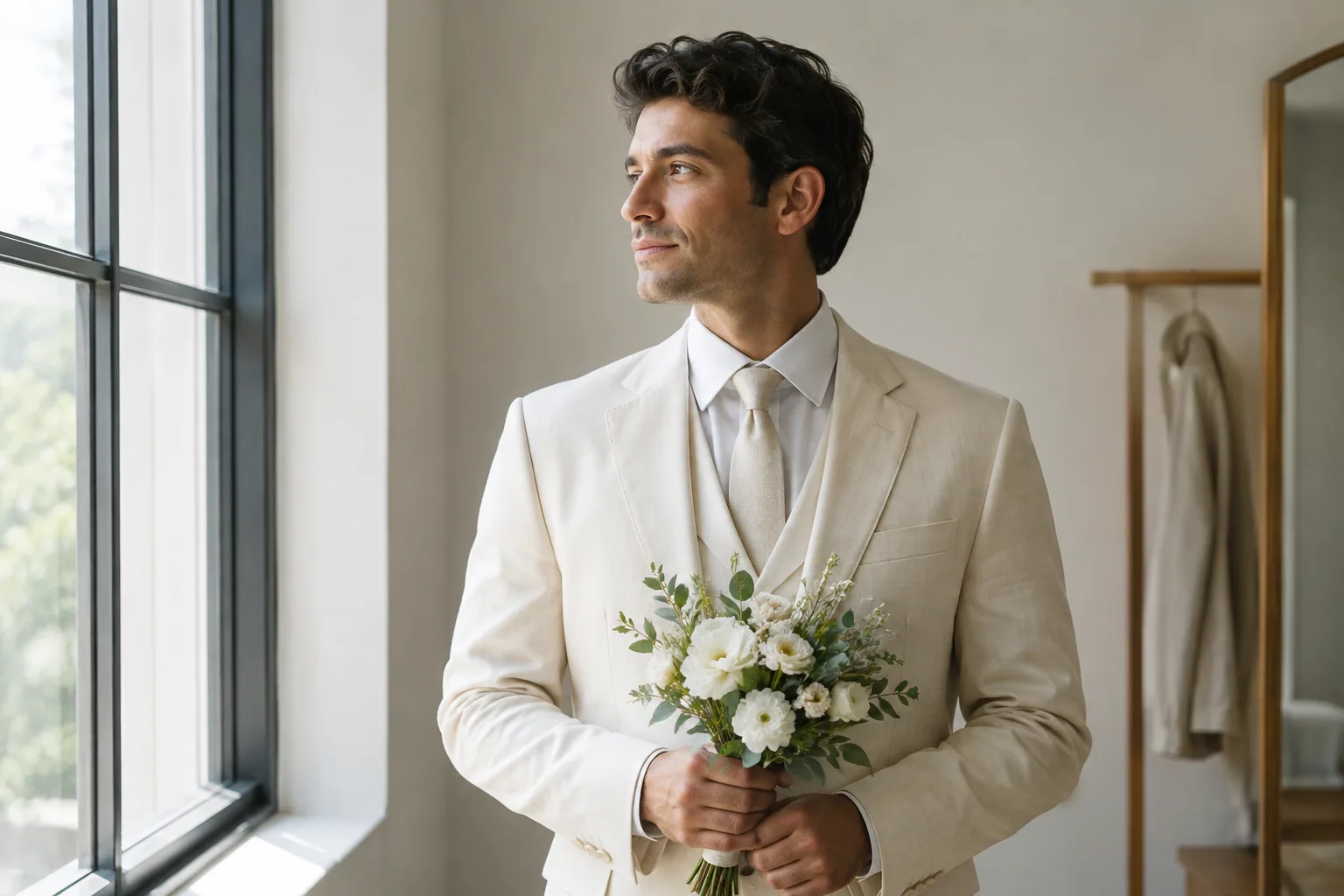
Use these eight copy-and-paste prompts to turn your own selfies into wedding-style portraits, then swap the outfit, setting, or pose to suit you. Each prompt creates an imagined solo portrait, not a record of a real wedding, and asks for recognizable facial features without guaranteeing an exact likeness.
8 copy-and-paste AI prompts for wedding photos
Choose a prompt and replace the bracketed clothing choice with the option you want. Every look below is for one adult subject: you.
1. Window-lit bridal portrait with soft side lighting
Create an imagined wedding-style portrait of one adult, me, using my uploaded selfies or personalized model as the identity reference. Aim to preserve my recognizable facial features, skin tone, age, and hairline. Dress me in [an ivory satin gown with a square neckline / an ivory tailored suit with a silk blouse]. Seat me beside a tall window, shoulders turned slightly toward it, looking at the camera with a relaxed smile. Frame chest-up with hands outside the image. Use soft daylight from the window on camera-left, a plain interior background, and natural skin texture. No other people.
2. Classic tuxedo studio portrait with a clean backdrop
Generate an imagined solo wedding portrait of one adult, me, based on my uploaded selfies or personalized model. Keep my facial features recognizable and retain my skin tone and apparent age. Dress me in [a black tuxedo with satin shawl lapels and a white shirt / a black tuxedo-style jumpsuit with satin lapels]. Show me standing upright, torso turned slightly, face toward the camera, with a calm expression. Use a waist-up crop with hands below the frame, a gray studio backdrop, and one large soft light above camera-left. No other people.
3. Garden ceremony look beneath open shade
Create an imagined garden wedding portrait of one adult, me, using my uploaded selfies or personalized model for facial reference. Aim to keep my facial structure, skin tone, and hairline recognizable. Dress me in [a cream crepe gown with short sleeves / a cream linen suit with an open-collar white shirt]. Place me standing still on a garden path beside white flowers, arms resting naturally at my sides, smiling gently at the camera. Frame from the knees up. Use soft daylight in open shade, with no direct sun patches on my face. No guests or other people.
4. City hall wedding outfit on stone steps
Make an imagined civil-wedding portrait of one adult, me, based on my uploaded selfies or personalized model. Preserve recognizable facial features and natural skin texture. Dress me in [an ivory knee-length dress with long sleeves / a pale gray tailored pantsuit with a white crewneck top]. Show me standing on the steps of a generic stone civic building, weight resting comfortably on one leg, looking directly at the camera. Frame full-length with space around my shoes. Use even daylight from an overcast sky. Keep the doorway simple, with no readable signs or other people.
5. Coastal wedding portrait with an uncluttered horizon
Generate an imagined coastal wedding portrait of one adult, me, using my uploaded selfies or personalized model as the identity reference. Aim to retain my recognizable face, skin tone, and age. Dress me in [a sleeveless ivory crepe gown / a sand-colored linen suit with a white shirt]. Place me standing on firm sand, shoulders relaxed, facing the camera with a small smile. Use a three-quarter crop from mid-thigh upward. Light the scene with soft overcast daylight, with a level ocean horizon behind me and only slight movement in the fabric. No other people.
6. Candlelit formal portrait with warm side lighting
Create an imagined candlelit wedding-style portrait of one adult, me, from my uploaded selfies or personalized model. Keep my facial features recognizable, without reshaping my face. Dress me in [a deep burgundy satin gown with a high neckline / a black velvet dinner jacket with a white shirt]. Seat me beside a table holding a cluster of candles on camera-right, body angled slightly toward their light, eyes toward the camera. Frame chest-up with hands outside the image. Use warm candlelight from that side, gentle shadows, and a dark background. No other people.
7. Vintage film wedding look without changing your age
Make an imagined wedding portrait of one adult, me, based on my uploaded selfies or personalized model. Retain my recognizable facial features, current age, skin tone, and hairline. Dress me in [an ivory tea-length dress with a bateau neckline / a charcoal suit with a narrow tie]. Show me seated on a plain wooden chair in a simple sitting room, shoulders relaxed, looking just beside the camera. Frame waist-up with hands out of view. Use daylight from a window on camera-right, muted film-style colors, and subtle grain. No other people.
8. Minimalist editorial portrait with simple fabric shapes
Generate an imagined editorial wedding portrait of one adult, me, using my uploaded selfies or personalized model for identity. Aim to preserve my recognizable face, skin tone, and natural skin texture. Dress me in [a structured ivory column gown with a straight neckline / an ivory double-breasted suit with a plain white top]. Place me standing against a warm white studio wall, torso turned slightly and face toward the camera, with a neutral expression. Frame from mid-thigh upward, arms resting at my sides. Use one large diffused light on camera-left and soft shadows. No props or other people.
Customize the outfit, venue, and pose in each prompt
Keep the identity instruction intact and replace only the details you want to change. A useful fill-in template is:
Create an imagined solo wedding-style portrait of one adult, me, using my uploaded selfies or personalized model. Aim to retain my recognizable facial features, skin tone, and age. Wear [garment, fabric, color, neckline or lapels]. Pose [seated or standing, body position, expression]. Frame [chest-up, waist-up, or full-length]. Set the scene in [venue] with [one clear lighting setup]. Include no other people.
These three substitutions show how to customize it without rewriting everything:
- Seated satin look: Wear an ivory satin gown with long sleeves and a square neckline. Sit sideways on a plain chair, turn your face toward the camera, and use a relaxed smile. Choose chest-up framing, hands outside the image, and window daylight in a quiet room.
- Standing tailored look: Wear a navy wool suit with notch lapels and a white shirt. Stand with shoulders relaxed and look directly at the camera. Choose full-length framing in a stone courtyard under overcast daylight.
- Colorful formal look: Wear an emerald silk sari with a narrow gold border and small gold stud earrings. Sit upright with a neutral expression. Choose waist-up framing with hands below the crop, a plain indoor background, and soft window light from the left.
Use descriptions such as “matte crepe,” “covered buttons,” or “satin shawl lapels” instead of “perfect wedding look.” For traditional attire, name the garment and details you actually want rather than asking for a generic cultural style.
Pick one pose and one expression per attempt. If you want a social portrait, request a vertical composition with room to crop; use full-length framing only when seeing the whole outfit matters more than facial detail.
Choose selfies that keep the portrait recognizable
Before uploading, check that your source photos have:
- Only you in the frame, with your face clearly visible.
- A recent appearance that matches how you want to look now.
- Even lighting that reveals your eyes, nose, and jawline.
- Some usable angle variation, such as straight-on and slight three-quarter views.
- No strong beauty filters, obstructing sunglasses, or hair covering most of your face.
Input lighting and generated lighting serve different jobs. Your selfies should show your features clearly, even if the requested result is a dim candlelit portrait. You do not need to wear wedding attire or stand at the intended venue in your source photos.
If you are unsure which pictures to use, follow this guide to choosing input selfies with clear lighting and useful angles before generating.
Generate wedding portraits with your own selfies
Selfie AI lets you upload a few personal selfies, create a personalized model, and explore wedding and formal portrait styles. Custom text prompts require Premium, so choose that route if you want to enter the prompts above.
- Select your source selfies. Use the checklist above rather than uploading several nearly identical filtered shots.
- Create your personalized model. Use your own selfies as the basis for your portraits.
- Start with one prompt. Select one attire option and keep the rest of the scene simple.
- Review the result before revising. Check your face first, then the outfit, pose, and background.
- Change one detail at a time. For example, keep the window-lit scene and replace satin with crepe. Compare the new result before changing the pose too.
Prefer not to write a custom prompt? Use the preset wedding-style starting point to explore a look first.
Treat garment descriptions as directions, not a promise of exact reproduction. If you need to judge the fit or construction of a specific real outfit, ask a tailor or bridal professional rather than relying on a generated portrait.
Check faces, fabrics, and details before sharing
Inspect the image at full size, not only as a thumbnail. Use this checklist to decide what to keep, simplify, or regenerate:
| Check | What to look for | What to try next |
|---|---|---|
| Facial likeness | Changed eye shape, jawline, age, or hairline | Return to clearer source selfies and try a straightforward, softly lit portrait |
| Veil edges | Fabric merging into hair, ears, or shoulders | Remove the veil or request a short, plain veil without trim |
| Lace and fabric | Repeating patterns that break apart, plastic-looking folds | Replace elaborate lace with plain satin or matte crepe |
| Buttons and lapels | Uneven button spacing, mismatched lapels | Request fewer visible buttons or a simpler jacket |
| Hands | Extra fingers, fused fingers, awkward placement | Switch to a chest-up crop with hands outside the image |
| Jewelry | Mismatched earrings, floating chains, warped rings | Use small stud earrings and omit necklaces or visible rings |
| Lighting | Face, clothing, and background lit from conflicting directions | Request one clear light source and a simpler setting |
A more detailed prompt will not fix every artifact. Regenerate if something still looks wrong, rather than assuming another instruction can repair that exact image.
When posting, make the imagined nature clear with wording such as “AI wedding-style portrait, trying an ivory satin look.” For help deciding how to use these images alongside actual event pictures, see imagined wedding portraits versus real wedding photography.
Start with the window-lit or studio prompt, choose one outfit, and generate a simple chest-up portrait before trying veils, detailed jewelry, or full-length poses.