What to Look for in AI Portrait Creators: A Buyer’s Guide to Quality, Ethics, and Style
AI portrait creators have moved from novelty tools to serious creative platforms. In 2026, people are using them for polished profile photos, personal branding, team headshots, campaign visuals, social content, and even animated likenesses. That growth makes sense. A good AI portrait generator can save time, reduce production costs, and help people explore looks that would otherwise require a studio, a photographer, and a full retouching workflow.
But not every tool is equal. Some are great at style variety but weak on realism. Others deliver impressive results, yet raise questions about face data retention, consent, or commercial rights. If you are thinking about subscribing or buying, the right question is not just which platform makes the flashiest portraits. The real question is which one fits your quality standards, your use case, and your values.
Why AI Portrait Creators Are Booming in 2026
The rise of AI portrait creators is tied to a simple shift: people want faster visual identity tools without losing quality. For freelancers and founders, a strong portrait can improve LinkedIn, websites, press kits, and pitch decks. For brands, consistent headshots and campaign assets can help maintain a cohesive look without repeated photo shoots. For everyday users, it is the appeal of seeing yourself in styles that feel aspirational, playful, or highly personalized.
At the same time, the technology is improving in areas that matter most to buyers. Modern tools are better at generating higher-resolution faces, supporting custom prompts, and offering more variety across clothing, lighting, and environments. Some even add motion features that turn a still portrait into a short animated video. Still, the underlying limits remain important. Research on face generation shows ongoing issues with prompt faithfulness, demographic disparities, and output shifts across images, so buyers need to evaluate more than just a handful of impressive examples. See Limitations of Face Image Generation here: https://ojs.aaai.org/index.php/AAAI/article/view/29403
Who Should Use an AI Portrait Generator?
AI portrait tools are useful for a wide range of people, but each group should judge them differently. Individuals usually care about convenience, style, and whether the output still looks like them. Creators may prioritize custom prompts, consistency, and export quality. Brands often need commercial rights, on-brand styling, and the ability to produce visuals at scale. Teams need reliable headshot consistency so employee photos look unified across a website or directory.
If your goal is personal branding, the key is realism and control. If your goal is marketing, you should care about licensing, editing flexibility, and output formats. If your goal is fun or social sharing, style breadth and animation may matter more than strict photographic fidelity. A smart buyer picks a tool based on intended use, not on the longest feature list.
Image Quality: Realism, Detail, and Consistency
Image quality is still the first filter. A portrait creator should produce images that look convincing at a glance and hold up on closer inspection. That means natural skin texture, believable eyes, correct anatomy, clean hair edges, and lighting that makes sense. The image should also stay stable across a set, because one good portrait is not enough if the next ten look like different people.
This is where quality evaluation becomes more nuanced than many buyers expect. A recent survey on text-to-image metrics notes that older measures like SSIM and PSNR are not enough on their own. Newer evaluation approaches should consider overall image quality, prompt adherence, composition, rendering parameters, and consistency across outputs. Read more in A Survey on Quality Metrics for Text-to-Image Generation: https://arxiv.org/abs/2403.11821
For portrait tools, that means you should judge both realism and prompt accuracy. If you ask for a professional headshot in a navy blazer against a neutral studio background, the output should respect that instruction without distorting identity. The PIQ23 dataset research also shows that expert pairwise comparisons can better distinguish close differences in portrait image quality than blunt scoring systems. That is a reminder to compare tools side by side instead of relying on marketing claims alone: https://www.sciencedirect.com/science/article/pii/S0167865525000200
Consistency across generations is equally important. To reduce identity drift, workflows matter a lot. Using a single high-quality reference image, keeping prompt structure stable, changing only one variable at a time, and using seed control where available can all help preserve the same face. Practical guidance on face consistency is discussed here: https://pict.ai/blog/how-to-keep-same-face-in-ai-images/
Another useful lesson from workflow-focused testing is that better reference photos, lighting, angle, and framing often matter more than simply writing longer prompts. In other words, if the platform cannot keep the face stable, more words will not fix it. You can read that perspective here: https://covefox.com/face-consistent/
Style Range: From Corporate Headshots to Creative Avatars
A strong AI portrait creator should not be stuck in one visual lane. Some users need clean corporate headshots with subtle retouching. Others want artistic avatars, editorial looks, fantasy scenes, vacation vibes, or branded campaign imagery. The best tools offer enough style range to support both serious and playful use without making every image feel generic.
When comparing platforms, look at whether the style library is actually useful or just decorative. For professional use, you want business attire, neutral backdrops, natural smiles, and clean framing. For creative use, you want environments, lighting setups, and wardrobe options that feel distinct. A good platform should let you move from restrained to expressive without losing face identity or output quality.
This is where Selfie AI: AI Photo Generator stands out as a versatile option. It transforms ordinary selfies into portraits and animated videos across a wide range of styles, including professional business portraits, beach and vacation scenes, wedding looks, superhero transformations, historical eras, fitness styles, and holiday themes. You can learn more here: https://findthe.app/selfie-ai-0xi7wd
Customization Features That Actually Matter
Not every customization feature is equally valuable. The most useful ones are the features that improve both control and consistency. Look for custom prompt support, reference image uploads, variation controls, background options, outfit changes, and if possible, seed or generation locking. These tools help you move from random outputs to repeatable creative direction.
Prompt control is especially important. Research on prompt optimization found that automatically improving prompts can increase consistency between the text prompt and generated image by up to 24.9%, while still preserving realism and diversity. That suggests a good portrait platform should help users guide outputs more precisely, not just offer one-click generation. See the OPT2I paper here: https://arxiv.org/abs/2403.17804
The important distinction is between cosmetic controls and meaningful controls. A background color picker is nice, but a strong tool should also let you preserve facial identity while changing pose, wardrobe, mood, and setting. The more stable the identity pipeline, the more useful the creator becomes for real projects.
Animation and Video Portrait Capabilities
Animation is becoming a major differentiator in portrait tools. Static portraits are useful, but animated likenesses can be more engaging for social posts, ads, creator intros, product explainers, and profile content. When evaluating motion features, pay attention to whether the animation feels natural or whether it introduces artifacts, facial warping, or uncanny movement.
A good animation feature should preserve identity while adding subtle motion, such as blinking, head movement, or expressive transitions. It should also support practical export formats, because a fancy preview is not enough if you cannot use the file where you need it. If a platform offers animated video portraits, check whether they are usable for organic content, paid campaigns, and cross-platform posting.
This is another place where product fit matters. Selfie AI includes a video animation feature that brings generated portraits to life, which may be especially appealing if you want both still images and motion content from the same workflow. For users creating content at scale, that kind of integrated capability can be a real advantage.
Ease of Use, Speed, and Output Formats
The best AI portrait creator is not only powerful, it is also easy to use. Most buyers want a simple workflow: upload selfies, select a style, generate results, then download or share the best versions. If the process requires too many manual steps, unclear settings, or confusing credit systems, adoption drops quickly.
Speed matters too. Some users are comfortable waiting longer for premium results, but many want quick turnaround for social profile updates, event materials, or campaign drafts. Evaluate how long the platform takes from upload to final output, and whether speed changes at higher quality tiers. Also check whether the outputs come in usable resolutions and whether watermarks are removed on paid plans.
Output format flexibility can save a lot of time later. If you need square images for social, vertical crops for stories, or high-resolution files for print and web, make sure the platform supports those needs. A tool that creates beautiful images but limits download quality will become frustrating fast.
Pricing Models: Subscription vs Pay-Per-Use
Pricing should be evaluated in terms of frequency and intent. If you plan to generate portraits regularly, a subscription often makes sense. If you only need a handful of images for a campaign or a one-time profile update, pay-per-use or credit-based pricing may be better. The right model depends on how many iterations you expect before you settle on the final look.
Always compare the true cost per usable image. Some platforms look inexpensive at first but require multiple reruns before you get results you can actually use. Others may charge more up front but deliver stronger consistency and fewer wasted generations. Premium tiers also often unlock higher resolution, faster processing, custom prompt tools, and watermark-free exports, which can be worth paying for if you need polished output.
For brands, the pricing question is really about workflow economics. If a tool helps you avoid repeated photo shoots, editing hours, and asset reshoots, even a higher subscription can be efficient. If you are just experimenting, start small and test the output quality before committing.
Commercial Rights, Licensing, and Copyright Terms
If you plan to use portraits in marketing, on a company website, in ads, or in printed materials, commercial rights are non-negotiable. Never assume that paid access automatically means unrestricted business use. You need to read the platform’s licensing terms carefully and confirm what happens to public and private generations.
For example, Leonardo.Ai states that under paid subscription plans users retain full ownership and intellectual property rights of privately generated images, while images made public grant the platform perpetual rights to use, adapt, and distribute the content. That kind of distinction matters a lot when you are choosing a tool for brand assets: https://intercom.help/leonardo-ai/en/articles/8044018/commercial-usage
Apiway says commercial use is allowed under all paid plans and even on its free plan, with attribution recommended, including use in advertising, printed materials, and editorial content: https://apiway.ai/docs/legal/commercial-use-rights
Veyloom similarly allows commercial use of AI-generated images and videos when users comply with applicable laws, platform rules, and likeness permissions: https://www.veyloom.com/en/acceptable-use
The lesson is simple. If you are a business, creator, or agency, verify whether your chosen tool allows commercial use, whether attribution is required, and whether public generations create broader rights for the platform. Read the policy before you publish, not after.
Privacy Red Flags: Face Data, Storage, and Consent
Portrait tools are sensitive because they use face data. That makes privacy and consent central to the buying decision, not a side note. You should know how long uploaded photos are retained, whether they are used to improve the model, whether they are shared with third parties, and whether you can delete them permanently.
The privacy concerns are not theoretical. EPIC has warned about lack of informed consent, opaque data collection, and the inability of individuals to remove personal data used in training datasets. That is especially relevant for any platform that asks users to upload selfies or create a personalized model: https://downloads.regulations.gov/NIST-2023-0009-0104/attachment_1.pdf
A recent case study on the Reface face-swap app also highlights ethical risks around non-consensual use of likeness, user misunderstanding of face data handling, and the broader harm this can cause to authenticity and trust. The takeaway is that users should demand transparency about how their likeness is processed and stored: https://www.sciencedirect.com/science/article/pii/S187705092601197X
When evaluating privacy, ask a few practical questions. Are photos deleted after model training? Can you opt out of training on your uploads? Is face data used for internal improvement? Can you delete your account and all associated assets? If a platform does not answer these clearly, that should be treated as a red flag.
Ethics and Trust: Bias, Representation, and Training Practices
Ethics is not only about privacy. It is also about how the model represents people. Research on algorithmic lookism suggests that generative AI systems can associate attractiveness with positive traits, while classification algorithms may show gender bias, especially in cases involving women’s faces with negative attributes. That means portrait tools can reproduce harmful stereotypes unless they are designed and tested carefully. See the study here: https://doi.org/10.1145/3805689.3806810
For buyers, the practical question is whether the platform supports fair representation across genders, skin tones, ages, and facial features. Browse sample galleries critically. Do the outputs look diverse, or do they all drift toward a narrow beauty ideal? Does the tool maintain realism across different identities, or does it flatten differences into one polished style?
Training practices matter too. If a provider is opaque about data sourcing or moderation policies, trust becomes harder to earn. A responsible platform should explain what kind of content is permitted, how face likenesses are handled, and what safeguards are in place to prevent misuse. Buyers who care about ethics should favor providers that are explicit about moderation, consent, and data governance.
How Popular AI Portrait Tools Compare
When comparing popular tools, avoid treating the feature list as the whole story. A useful comparison should include image realism, identity consistency, style range, editing depth, animation support, turnaround time, commercial rights, and privacy posture. The best platform for one person may be wrong for another.
Here is the simplest comparison framework. If a tool is strongest on realism, it is a better fit for headshots and professional profiles. If it is strongest on style variety, it is better for social content and creative experimentation. If it has the best licensing terms, it may be ideal for businesses. If it offers the clearest privacy controls, it may be best for users who are cautious about face data. The winning tool is the one that scores well in the categories that matter most to you.
For a broad consumer-friendly option, Selfie AI: AI Photo Generator is worth considering because it combines personalized model creation, diverse categories, custom prompts for premium users, and animated portraits in one place. That makes it especially attractive if you want both creative freedom and a straightforward setup.
Real-World Examples for Individuals and Brands
If you are an individual building a personal brand, your main goal is usually credibility. You want portraits that look like you, feel polished, and work across platforms such as LinkedIn, speaker bios, and portfolio sites. In that case, prioritize realism, consistency, and subtle retouching over extreme styles.
If you are a creator, you may want variety. One week you need an editorial look, the next you need a casual thumbnail image, and the next you want a cinematic avatar for a launch post. For creators, customization and style range become more valuable, especially if you can generate several coherent looks from the same face model.
If you are a brand, the criteria change again. A marketing team may need headshots for an internal team page, campaign portraits for an ad set, and stylized images for seasonal content. In that case, licensing, consistency, and privacy are often more important than novelty. For a business, a tool should fit within brand guidelines and legal requirements without extra risk.
A simple example: a founder might use AI portraits to refresh a profile photo before a product launch. A remote team might use the same tool to create unified headshots for a company directory. A brand social team might use animated versions to create attention-grabbing posts without scheduling a new shoot each time. The use case should shape the selection.
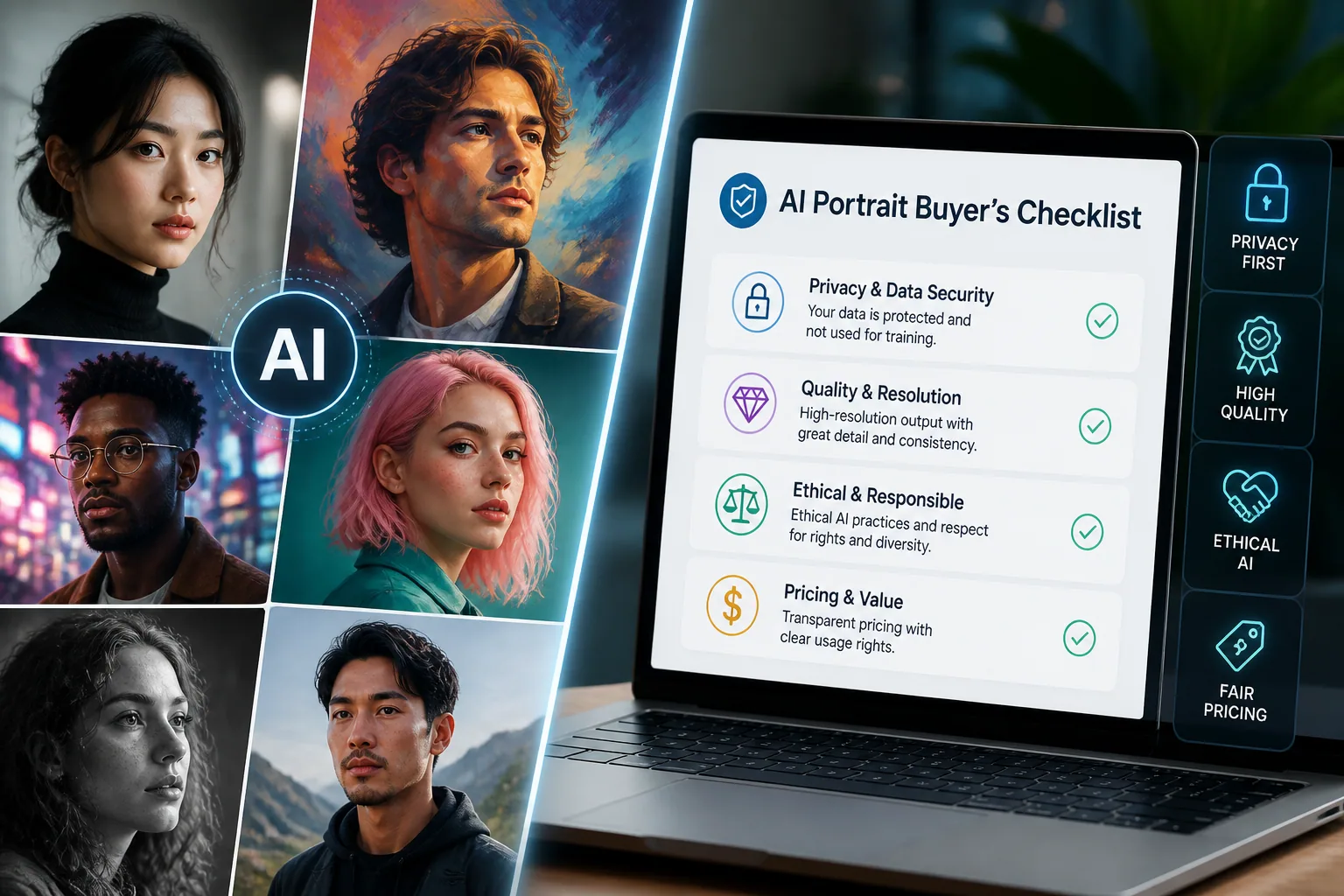
A Simple Buyer’s Checklist for Confident Decisions
Before you subscribe or buy, run every tool through the same checklist. First, test realism. Second, compare identity consistency across multiple generations. Third, review style range and see whether the looks are actually useful for your goals. Fourth, check custom prompt or editing controls. Fifth, confirm whether animation or video features are genuinely usable. Sixth, verify output resolution and file formats. Seventh, compare pricing against the number of usable images you expect to need.
Then move to trust and rights. Confirm commercial usage permissions, read the licensing terms, and check whether public generations give the platform broad rights. Review how the company handles uploaded selfies, whether face data is retained, and whether deletion is possible. Look for clear moderation policies and transparency about training practices. Finally, inspect the sample gallery for bias, representation, and realism across different face types.
If a platform scores well on quality but fails on privacy, think twice. If it scores well on ethics but produces inconsistent portraits, it may not be ready for professional use. The best tool is the one that balances output quality with policy clarity and operational fit.
Final Verdict: How to Pick the Right AI Portrait Creator
The right AI portrait creator is the one that matches your intended use, your budget, and your values. If you want polished professional portraits, prioritize realism, consistency, and commercial clarity. If you want creative identity exploration, prioritize style range, prompt control, and animation. If privacy and trust are your biggest concerns, scrutinize face data handling, consent, and data deletion policies before uploading anything.
In practice, a strong choice should do three things well. It should make you look good without losing likeness. It should give you enough control to direct the result. And it should treat your data and your likeness with respect. Tools like Selfie AI: AI Photo Generator can be appealing because they combine personalized portrait generation, multiple style categories, custom prompts, and animated outputs in a single experience. But the final decision should always come down to whether the platform meets your quality expectations and your standards for ethics and licensing.
If you remember one thing from this guide, let it be this: do not choose an AI portrait creator based on screenshots alone. Compare the outputs, read the terms, evaluate the privacy posture, and test whether the platform can deliver the same face, the same style, and the same trust every time you need it.