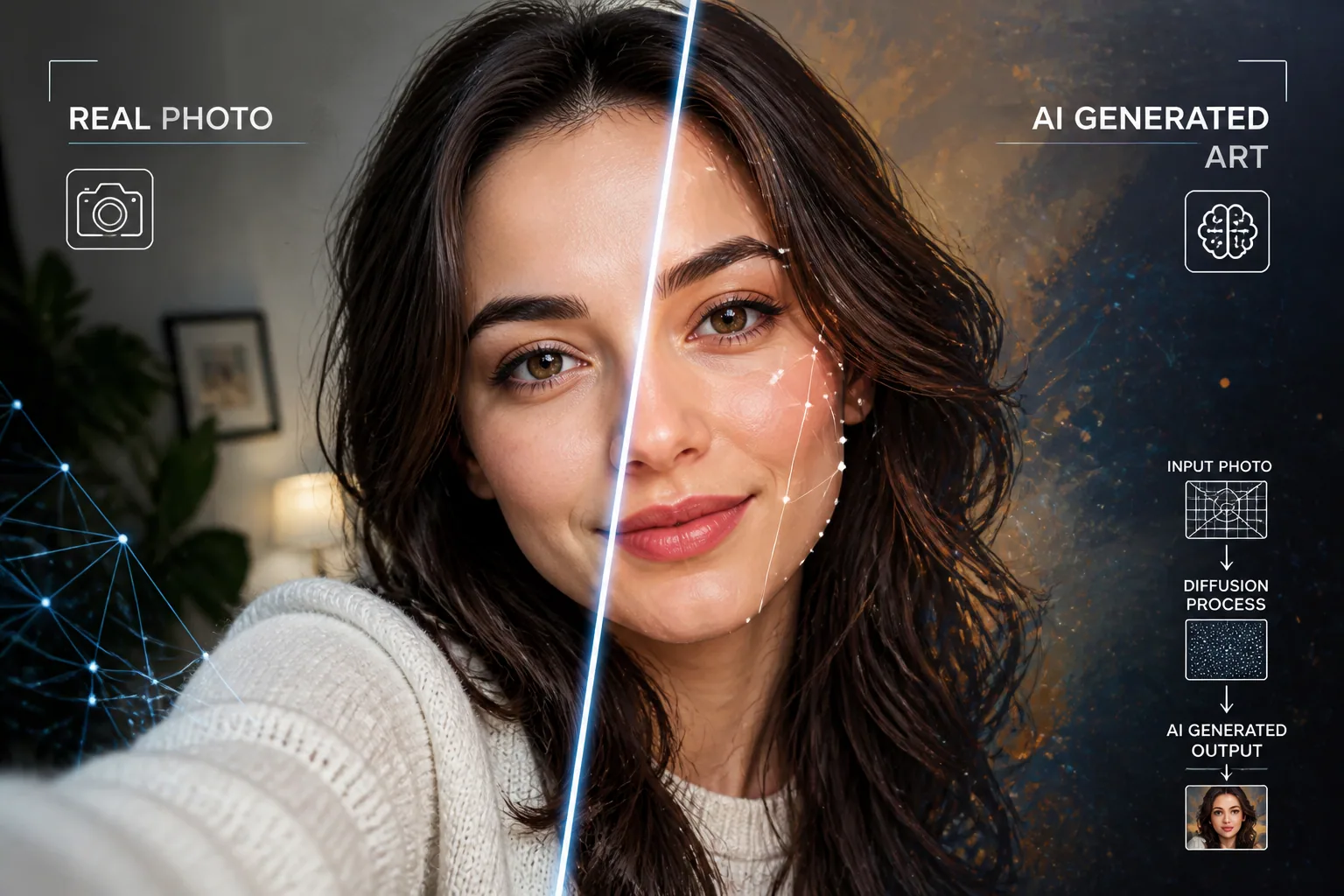
The Mechanics Behind the Magic: How AI Portraits Are Generated (and Why It Matters)
AI portrait generators can feel almost magical the first time you use them. You upload a selfie, pick a style, and suddenly you are looking at a polished studio headshot, a cinematic character portrait, or a fantasy version of yourself that still somehow feels recognizably like you. The result can be impressive, but it is not random. Behind the scenes, AI systems are making a series of very specific predictions about faces, features, light, texture, and composition. Once you understand those mechanics, the “magic” becomes easier to trust, and much easier to improve.
That matters for a few reasons. If you know how these models work, you can choose better source photos, write better prompts, and set more realistic expectations. You can also understand why an AI portrait sometimes looks uncanny, why identity drift happens across multiple generations, and why one model seems better at realism while another seems better at style. In short, learning the basics helps you get portraits that look better and feel more like you.
Why AI Portraits Feel Like Magic
The reason AI portraits feel so surprising is that they combine imitation and transformation at the same time. The model has learned patterns from huge collections of images, so it understands that faces usually have eyes, a nose, a mouth, skin texture, hair, shadows, and a certain spatial structure. But it does not simply copy and paste a face. Instead, it synthesizes a new image that fits the style, prompt, and reference input you gave it.
That is why a portrait can look both familiar and altered. The system is trying to preserve enough of your likeness to make the result feel personal, while also applying artistic changes such as lighting, color grading, costume, background, and facial polish. When it works well, the image looks like a believable alternate version of you. When it does not, you get warped features, strange skin texture, or eyes that do not quite align.
The Two Big Engines: Diffusion Models vs. GANs
Most modern portrait generators rely on diffusion models, GANs, or a hybrid of ideas from both. These approaches are different in how they create images, and those differences matter for realism, speed, and consistency.
Diffusion models are trained by taking real images and gradually corrupting them with Gaussian noise in a forward process, then learning how to reverse that process step by step until a clean image emerges. IBM describes this as learning to remove noise incrementally, while Baeldung gives a similarly clear explanation of the forward and reverse phases in diffusion systems. This stepwise denoising is a big reason diffusion models tend to produce very detailed, high-quality outputs. Source: https://www.ibm.com/think/topics/diffusion-models and https://www.baeldung.com/cs/diffusion-models
GANs, or Generative Adversarial Networks, work differently. They use two networks: a generator that tries to create realistic images from random input, and a discriminator that tries to tell fake images from real ones. Over time, the generator gets better by learning how to fool the discriminator. Google Developers and GeeksforGeeks both explain this adversarial setup clearly. Source: https://developers.google.com/machine-learning/gan/gan_structure and https://www.geeksforgeeks.org/deep-learning/generative-adversarial-network-gan/
In practice, diffusion models usually win on fine detail, visual fidelity, and stylistic variety. They are often slower at generation, though, because they need many denoising steps. GANs are typically faster at inference, but they can be harder to train well and may suffer from instability or mode collapse, where outputs become too similar or lose diversity. In other words, diffusion tends to be the newer all-rounder for portrait quality, while GANs still matter for speed and specific use cases.
A useful middle ground is latent diffusion. Instead of working directly in full pixel space, the model compresses the image into a lower-dimensional latent space, often through a Variational Autoencoder, and performs the noise and denoising process there. This speeds up training and can help preserve consistency and detail. Stable Diffusion is the best-known example of this idea. Source: https://en.wikipedia.org/wiki/Latent_diffusion_model
How an AI Learns What a Face Looks Like
An AI does not learn a face the way a person does. It does not form a mental model of “this is a nose” in a conscious sense. Instead, it learns statistical relationships between shapes, textures, and visual patterns. It sees millions of examples of eyes, cheekbones, skin tones, hairlines, lighting setups, and head poses, then learns which combinations are likely to appear together.
That is why facial generation is so sensitive to data quality. If the model repeatedly sees similar kinds of faces, similar framing, or similar lighting, it becomes very good at reproducing those patterns. But it may struggle with less common traits, unusual angles, or features underrepresented in the dataset. The model is not “thinking” about your face. It is matching patterns it has learned and completing the missing parts of the image in a probabilistic way.
This pattern learning also explains why prompts matter. A prompt does not directly instruct the model in the human sense. It nudges the model toward certain visual distributions. If you ask for soft studio light, sharp eye detail, and a 50mm lens look, the system is more likely to produce a portrait that resembles that photographic style because it has learned those correlations from training data.
Why Training Data Changes the Style and Quality
Training data shapes everything. It influences realism, skin texture, diversity, pose variety, ethnicity representation, background complexity, and even how “beautiful” the model thinks a face should look. If a model is trained heavily on high-fashion or studio-lit portraits, it may learn to produce smoother skin, symmetrical features, and a polished editorial feel. That can look impressive, but it can also create a kind of feature averaging, where unique details get softened away.
This is one reason some AI portraits feel generic. The model may have learned a strong statistical idea of what a “good-looking portrait” looks like, but that idea may be biased toward conventional beauty standards. Research and industry commentary have noted that limited or biased training data can lead to overrepresentation of lighter-skinned, studio-lit, or highly controlled imagery, which in turn affects how the model handles faces outside that norm. Source: https://capcut.com/create/ai-generated-faces-realism-bias-artifacts and https://www.getphotoshoot.com/blog/ai-headshot-doesnt-look-like-me
Style is not separate from quality. If the dataset contains lots of cinematic lighting, the model will associate faces with dramatic shadows and strong contrast. If it contains many portrait crops with centered composition, it will tend to recenter faces and keep them symmetrical. If it contains plenty of cosmetic retouching, it may produce the so-called plastic skin effect. That is why one model can feel ideal for dreamy art portraits while another is better for realistic business headshots.
What Makes a Portrait Look Realistic
Realism in AI portraits usually comes from consistency. The facial structure needs to make sense, the lighting has to match the scene, the eyes must align, and small details like hair strands, earrings, teeth, and reflections should all agree with one another. The more internally consistent the image is, the more believable it feels.
Diffusion models often do well here because they rebuild an image gradually and can refine details in multiple passes. This helps with texture and subtle transitions in skin and light. The tradeoff is that every step introduces the possibility of deviation, which is why some portraits end up with almost-real but slightly wrong hands, odd jewelry, or inconsistent eye detail. GANs can also produce realism quickly, but they may struggle to maintain the same level of variation and fine-grained correction.
Another factor is resolution. Higher-resolution outputs give the model more room to express detail, especially in hair, fabric, and skin texture. But if the model was not trained well on high-resolution faces, more detail can also make flaws more obvious. Realistic portraits are not just sharper. They are coherent all the way through.
How AI Preserves Your Identity While Changing the Style
The hardest part of portrait generation is not making a pretty image. It is preserving identity while changing almost everything else. The model has to decide which parts of your face define you and which parts it can safely transform. In many systems, that identity is not stored as a stable, persistent profile in the way a human would remember a face. Instead, the model may rely on reference photos, prompt conditioning, or specialized identity tools to approximate you each time.
This is why identity drift happens. If a generator starts from scratch for each image, small changes in jawline, spacing between the eyes, skin tone, or head angle can accumulate from one output to the next. Over several generations, the person still looks related to you, but not exactly like you. Higgsfield explains this character drift as a result of systems generating each image anew rather than maintaining a persistent identity representation. Source: https://higgsfield.ai/blog/Why-Does-Your-AI-Characters-Face-Keep-Changing
GetPhotoShoot makes a similar point for AI headshots, noting that subtle shifts can come from the model’s reliance on prompts or references instead of a stable identity anchor. Source: https://www.getphotoshoot.com/blog/ai-headshot-doesnt-look-like-me
The best systems try to counter this by using multiple good reference images, identity embeddings, or other mechanisms that hold onto the subject’s distinctive features. But even then, perfect fidelity is hard. The model is balancing likeness, style, and plausibility at the same time, which is why some outputs feel a little too average, a little too smooth, or a little too idealized.
Why Distortions, Bias, and Weird Artifacts Happen
The common flaws in AI portraits usually come from one of three places: the training data, the input quality, or the generation process itself. If the dataset is narrow or skewed, the model inherits that bias. If the photo you upload is blurry, poorly lit, or taken from an extreme angle, the system has a harder time understanding your real facial structure. And if the generation process makes a bad prediction at any step, the final image can show artifacts.
That is where issues like warped features, mismatched eyes, strange teeth, odd earrings, or reflection anomalies often come from. PicassoIA and CapCut both point to limited or inconsistent data, as well as ambiguous references, as major causes of these visual errors. Source: https://blog.picassoia.com/why-your-ai-faces-keep-looking-wrong and https://capcut.com/create/ai-generated-faces-realism-bias-artifacts
Bias is especially important to understand. If a model has seen more examples of certain face types than others, it may unconsciously “normalize” faces toward those patterns. That can mean smoothing out natural texture, lightening or evening skin tones, narrowing features, or producing a look that feels more stock-photo than personal. Bias is not just a moral issue here. It directly affects whether the portrait looks like you.
Common Reasons Your AI Selfie Looks Off
If an AI selfie looks strange, there is usually a technical reason behind it. A low-quality source image can confuse the model about your face shape. Harsh shadows can hide part of the face and lead to misinterpretation. Multiple people in one photo can make identity extraction harder. Overly dramatic prompts can push the model too far into style, causing it to sacrifice facial accuracy.
Another common issue is over-symmetry. When a model is trained to produce pleasing portraits, it may overcorrect natural asymmetry, which can make the face feel artificial. Real faces are not perfectly symmetrical, and when AI tries too hard to “improve” them, the result can become uncanny rather than attractive.
The background can also matter. If the source image has cluttered scenery, unusual reflections, or strong color casts, the model may absorb those distractions into the portrait. The same happens with accessories and facial hair. The more visually ambiguous the source, the more room there is for error.
How to Get Better Results With Smarter Inputs
The easiest way to improve AI portraits is to give the model better material to work with. Use several clear selfies with consistent lighting, natural expression, and a straight-on or slightly angled view. Avoid extreme filters, heavy makeup changes, dark backgrounds, or photos where your face is partially blocked. The goal is to make your core features easy to read.
Prompts help too. Specificity usually beats vague requests. If you want a realistic look, mention the style of photography, the lighting, and the framing you want. Pict.AI recommends multiple high-quality reference images, consistent framing, and prompt refinements to reduce identity drift and improve likeness. Source: https://pict.ai/blog/why-ai-headshots-dont-look-like-me/
Some tools also let you fix a seed value, use identity-preserving layers, or choose a model that is stronger at portrait fidelity. These settings matter because they reduce randomness and make the output more repeatable. If a model keeps drifting away from your face, lowering creative freedom and increasing identity constraints can help.
If you want a product built around this workflow, Selfie AI: AI Photo Generator is a practical option to try. It lets you upload a few selfies to create a personalized AI model, then generate portraits in styles ranging from business headshots to fantasy and vacation scenes: https://findthe.app/selfie-ai-0xi7wd
Settings, Prompts, and Photo Choices That Matter Most
A good result is often the sum of small decisions. Good source photos give the model an accurate base. A clear prompt gives it direction. The right style category keeps it from overreaching. And the right settings reduce randomness so the face stays recognizable.
If your goal is realism, ask for grounded photographic details such as soft natural light, shallow depth of field, neutral background, and realistic skin texture. If your goal is stylization, you can allow more creative freedom, but it helps to preserve facial landmarks in the prompt. The more you emphasize the features that define your identity, the less likely the system is to replace them with generic traits.
It also helps to think like the model. Give it a portrait that is easy to parse, then ask for a transformation that does not fight the structure too hard. In other words, start with clarity, then add style. That approach usually works better than trying to rescue a poor photo with a very elaborate prompt.
What Creators and Photographers Should Know About Fidelity
For creators, photographers, and brands, fidelity is not just a technical issue. It affects trust. If an AI headshot is supposed to represent a real person, then likeness matters as much as polish. A flattering image that no longer resembles the subject is not useful for professional use, even if it looks impressive at first glance.
That is why consistency across outputs is so valuable. People often want a set of portraits that feel cohesive for LinkedIn, portfolio pages, social media, or marketing assets. If one image looks professional but the next one looks like a different person, the system has failed at identity retention. Understanding how the model works lets you spot that problem earlier and adjust your workflow before you commit to an output.
It also helps creators set expectations with clients. AI portraits are not truth machines. They are probability machines shaped by training data, prompts, and reference inputs. The more faithful you need the image to be, the more you should prioritize high-quality source material and models optimized for human faces.
Why Understanding the Tech Helps You Use AI Better
The real value of understanding AI portrait generation is practical. Once you know that diffusion models rebuild images step by step, you understand why quality can be so strong but generation takes time. Once you know how GANs work, you understand why they can be fast but less stable. Once you understand training data bias, you know why some portraits drift toward generic beauty standards. And once you understand identity drift, you know why a few better reference photos can make a dramatic difference.
That knowledge turns frustration into control. Instead of blaming the tool every time a portrait looks off, you can identify whether the issue is the source image, the prompt, the model choice, or the generation settings. That makes you better at getting the look you want, whether you are aiming for a realistic headshot, a creative transformation, or a full fantasy version of yourself.
So yes, AI portraits are impressive. But they are not magic in the mysterious sense. They are the product of learned patterns, statistical reconstruction, and a lot of carefully engineered tradeoffs. The more you understand those tradeoffs, the more likely you are to get portraits that look polished, believable, and recognizably yours.