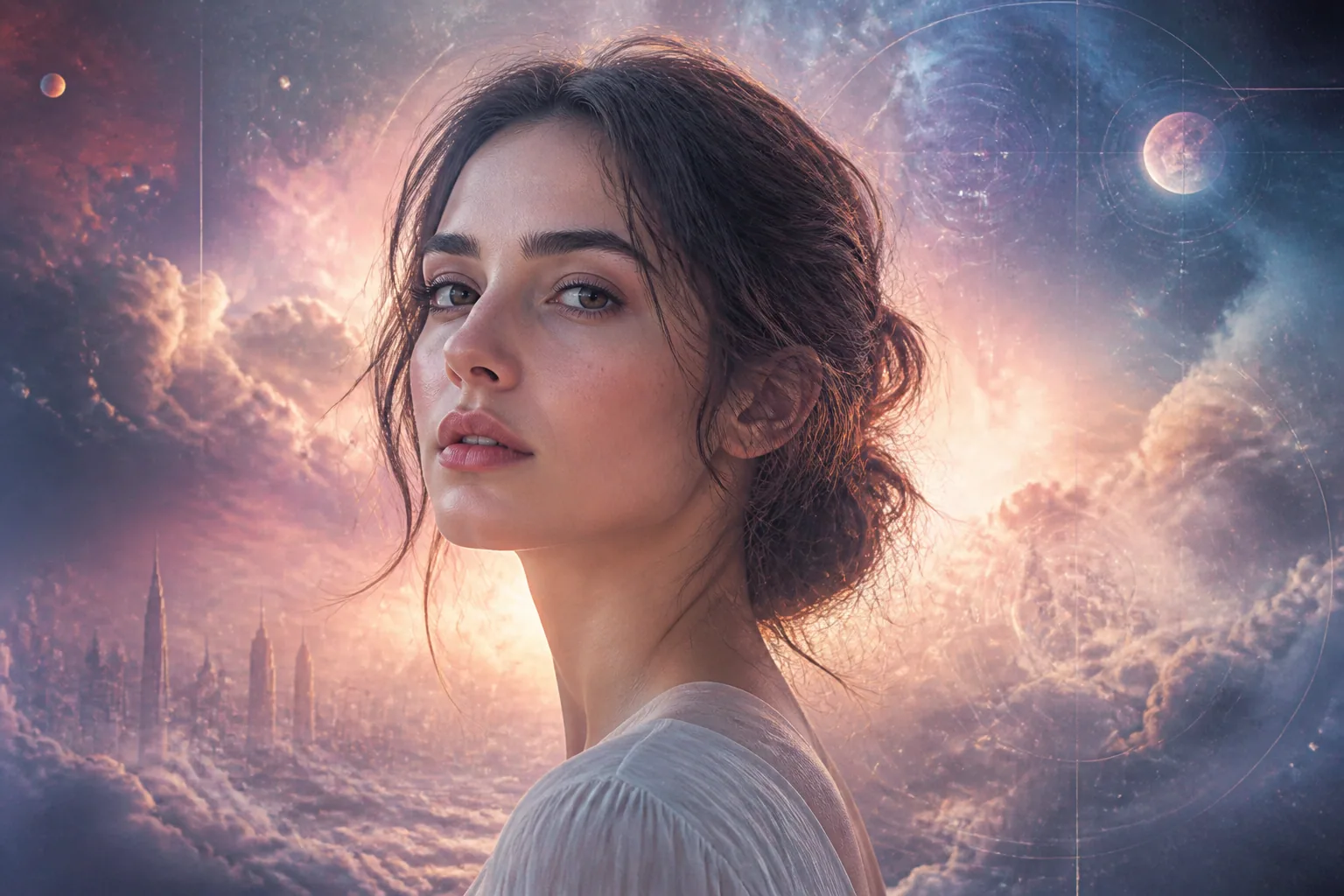
Mixing Fantasy & Reality: How to Build AI Portraits That Feel Dreamy but Still Like You
Dreamy AI portraits are having a moment because they sit in a very appealing middle ground. They are not trying to look like plain studio headshots, and they are not trying to become fully unrecognizable fantasy characters either. Instead, they borrow the atmosphere of cinematic lighting, pastel surrealism, dreamcore, sci-fi glow, and soft transformation while still preserving the one thing that matters most: your likeness. When this balance works, the image feels emotionally rich, visually fresh, and still personal enough that people instantly sense, “Yes, that is still you.”
That is also why this style is spreading so quickly across profile pictures, creator branding, and social content. People want portraits that feel elevated without feeling fake. They want a little magic, but not at the cost of identity. The best AI portraits now are not about replacing reality. They are about remixing it in a way that feels imaginative, flattering, and believable.
Why Dreamy-but-Real AI Portraits Are Trending Right Now
The rise of dreamy AI portraits comes from a simple shift in taste. Standard polished portraits can feel too corporate, while heavily stylized fantasy images can feel disconnected from the person behind them. Dreamy-but-real visuals solve both problems. They give creators something more expressive than a simple headshot and more authentic than a completely fictional avatar.
Another reason this style is working is that audiences are now very sensitive to overprocessed AI imagery. People can tell when something feels too smooth, too symmetrical, or too generic. Research on AI portrait discomfort notes that subtle deviations in lighting, facial symmetry, and texture, especially details like mismatched catchlights in the eyes, are among the top causes of uncanny valley reactions (starkie.ai). In other words, the more an image tries to look perfect in a robotic way, the more likely it is to feel off.
That is why the new goal is not perfection. It is believable stylization. A dreamy portrait can be saturated with mood, color, and atmosphere, but it still needs enough human structure to feel emotionally true.
What Makes a Fantasy Portrait Still Feel Authentic
Authenticity in an AI portrait is less about realism in the strict photographic sense and more about whether the viewer can sense a coherent human presence. A fantasy portrait feels authentic when the face, lighting, expression, and surrounding details all seem to belong to the same world.
A few things consistently help. Natural skin texture matters, because over-smoothed skin tends to look plastic and inauthentic. Realistic shadows matter, because mismatched light directions can instantly break suspension of disbelief. Eyes matter even more, because lifeless eyes are one of the fastest ways to make a portrait feel synthetic. As zsky.ai points out, AI headshots often fail because of over-smoothed skin, perfect symmetry, and dead-looking eyes, even when the image technically looks high quality (zsky.ai).
A portrait can absolutely have glowing rim light, pastel clouds, or a cinematic aura. But the face still needs the small imperfections that make a person feel real. Freckles, pores, subtle asymmetry, and believable shadow transitions all help the portrait feel like a dream version of a real person instead of a generic fantasy model.
How to Preserve Identity in Stylized AI Generations
If the portrait stops looking like you, the style has gone too far. Preserving identity is the foundation of every successful stylized generation. The most effective way to do this is to anchor the generation with consistent references and clear facial traits.
Using multiple reference images from different angles can help the model hold onto your core features across variations. Research suggests that combining multi-angle reference images with explicit facial anchors in prompts can preserve likeness remarkably well, in some cases improving consistency to 80 to 95% without retraining (sozee.ai). That matters because a single selfie often gives the model too narrow a view of your face. More angles give it a better map.
When writing prompts, focus on the traits that define your identity most clearly. That might be face shape, jawline, eye spacing, eyebrow structure, nose profile, hairline, or a recognizable smile. It also helps to preserve expression patterns. If you usually smile subtly, do not ask for an exaggerated grin unless that is part of the look you want. Identity drift often happens when the expression and geometry are changed too aggressively, making multiple versions of “the same person” look like different people.
The best stylized portraits feel like variations on a stable identity rather than completely separate characters. Think of it as designing a dream dimension around your real features, not replacing the features themselves.
Using Lighting to Blend Cinematic Mood with Realism
Lighting is probably the easiest way to make an AI portrait feel dreamy without destroying realism. Good lighting changes mood instantly, and it can suggest fantasy without needing to add overly complicated visual effects.
Soft backlight, warm edge light, neon reflections, moonlit contrast, and hazy diffusion all create atmosphere. But they should still follow believable physical rules. The light source should make sense. Shadows should point in a consistent direction. Catchlights in the eyes should align with the scene. If one side of the face is lit by a sunset and the other side is lit like a studio flash, the image begins to feel artificial very quickly.
This is one of the subtle reasons dreamy portraits succeed or fail. According to research on uncanny valley reactions, lighting inconsistencies and mismatched facial texture are among the most noticeable triggers for discomfort (starkie.ai). So even when you want glow, haze, or colored illumination, it is better to use one strong lighting concept than several competing ones.
A useful approach is to choose a dominant mood first. For example, you might choose “soft twilight,” “pink editorial studio,” “glowing sci-fi dusk,” or “golden-hour film still.” Once that mood is defined, let the AI build the portrait around it. Lighting should enhance the face, not swallow it.
Choosing Fantasy Aesthetics That Enhance Instead of Overwhelm
Fantasy aesthetics work best when they act like seasoning rather than the whole meal. It is easy to add too many stylistic cues and end up with a portrait that looks busy, confusing, or detached from the person. The strongest dreamy portraits usually commit to one primary aesthetic and one supporting accent.
For example, ethereal sci-fi glow pairs beautifully with minimal wardrobe and clean composition. Pastel surrealism works well when the colors are gentle and the face remains natural. Dreamcore can create a haunting, nostalgic emotional tone, but it becomes stronger when the expression stays calm and the styling remains coherent. Cinematic transformation feels powerful when it looks like a still from a film rather than a random special effect collage.
This is where restraint becomes an advantage. You do not need floating planets, burning wings, holographic butterflies, and crystalline skin all in one portrait. One or two visual signals can do much more than a dozen. A soft iridescent glow on the cheekbones, a slightly unreal sky behind you, or an elegant color wash across the frame may be enough to communicate fantasy while still keeping the face central.
If you want the portrait to feel premium, make sure the fantasy elements support the emotional tone. A calm expression with luminous mist feels thoughtful. A confident expression with metallic light feels powerful. A playful smile with pastel clouds feels whimsical. The visual language should match the personality you want to project.
Background Textures and Environmental Details That Ground the Image
A dreamy portrait often becomes more believable when the background feels tactile and physical. Even highly stylized images benefit from environmental texture because texture gives the eye something to trust.
Instead of leaving the background flat, think in layers. You can use soft bokeh, blurred architectural forms, fog, glass reflections, floral haze, velvet shadows, or distant lights. These details create depth without competing with the face. They also help establish a world around the subject, which makes the image feel intentional rather than pasted together.
The key is coherence. Background and subject should share the same light temperature, color palette, and visual logic. If the portrait has a cool moonlit face, a warm sunrise backdrop may feel inconsistent unless there is a clear reason for the contrast. If the subject is wrapped in pastel tones, the environment should echo that softness through texture or diffusion.
Grounding also comes from small natural cues. Subtle hair movement, believable fabric folds, soft shadow falloff, and gently imperfect edges all help keep the portrait anchored in a physical reality. Research on AI image mistakes notes that unrealistic hair physics, such as strands merging strangely with skin or flyaways floating without support, often break the viewer’s sense of belief (starkie.ai). The same logic applies to backgrounds. The more physically plausible the scene feels, the more magical the stylization can become without collapsing.
How to Use Style Overlays Without Losing the Human Feel
Style overlays are useful, but they need to be handled carefully. If the stylization is too strong, the portrait can quickly become generic or mask the features that make the subject recognizable. The best overlays are subtle enough to be felt before they are noticed.
A style overlay might mean a specific color grade, a film grain treatment, a dreamy glow, an editorial texture, or a fantasy-inspired atmosphere. These elements can elevate the image dramatically, especially if they are layered on after the likeness has already been established. But if the AI is asked to do too much in one pass, the result may become muddled.
The rule is simple: preserve structure first, add style second. Once the face is already working, then introduce the surreal lens. That way the portrait remains a person first and an aesthetic object second. This is especially important for profile pictures and creator branding, where people need to recognize you quickly.
There is also a practical side to this. Heavy overlays can hide facial cues that help people identify you. If the styling covers the eyes, mouth, or face shape too strongly, the portrait may look impressive but no longer feel personal. A successful stylized portrait should still let the viewer read your expression and basic facial architecture immediately.
Prompt Formulas for Ethereal, Surreal, and Cinematic Portraits
Detailed prompts make a major difference. Research shows that vague inputs like “a portrait” or “person smiling” often lead to bland, generic, or even incorrect outputs, while more specific details about emotion, angle, lighting, and environment reduce the risk of unrecognizable results (supershoot.co).
A good prompt formula usually includes five parts: identity anchors, pose or angle, expression, lighting, and environment or style. For example: a close-up portrait of a woman with soft freckles, defined cheekbones, calm expression, three-quarter angle, moonlit rim lighting, pastel mist, and subtle dreamcore atmosphere. That gives the model enough direction to create something imaginative while still staying grounded.
For an ethereal look, emphasize softness, glow, diffused light, translucent textures, and calm expression. For surreal portraits, add unusual but coherent environmental details like floating haze, mirrored reflections, or impossible color gradients. For cinematic portraits, reference film still language, dramatic but plausible lighting, and a clear emotional tone. The stronger the emotional and visual anchors, the better the result tends to be.
If you are generating multiple portraits for the same personal brand, keep a core prompt structure and only vary one or two elements at a time. That reduces drift and makes the final set feel cohesive. It also helps the portraits look like different moments from the same visual universe rather than unrelated experiments.
Common Mistakes That Make AI Portraits Look Fake
The biggest mistake is trying to force too much perfection. Perfect skin, identical facial symmetry, over-bright eyes, and overly smooth surfaces often make a portrait feel manufactured instead of expressive. The second biggest mistake is using too many conflicting styles at once, which makes the image feel like a collage instead of a portrait.
Another common issue is ignoring the body language of the face. A beautiful fantasy backdrop cannot rescue a strange expression. If the eyes do not feel focused, if the smile does not match the mood, or if the pose looks stiff, the whole image feels artificial. The human face carries most of the emotional credibility, so it deserves the most attention.
Hands are another frequent problem area. They are notoriously difficult for AI to generate accurately, and extra fingers or unnatural bends can immediately destroy the realism of a close-up portrait (aiunpacker.com). If hands are important to the composition, keep them simple, partially hidden, or placed in a way that reduces complexity.
Lighting and hair also deserve caution. A portrait can look excellent at first glance, but if the shadows do not match the light source or the hair seems physically unsupported, viewers will feel that something is wrong. These are exactly the kinds of details that break the spell, even in otherwise beautiful images (starkie.ai).
Best Use Cases for Profile Pictures, Creator Branding, and Social Content
Dreamy-but-real portraits are especially useful when you want an image that is memorable without becoming too niche. For profile pictures, they give you a polished look that still feels personal. For creator branding, they help establish a recognizable visual identity that can be used across platforms. For social content, they create thumb-stopping imagery that feels more elevated than a standard selfie.
This style is particularly effective for people who build public-facing personal brands. A portrait with soft cinematic light and a recognizable likeness can signal professionalism, creativity, and individuality at the same time. It also performs well in contexts where people want a little fantasy, but still need to know who they are looking at.
The product that fits this workflow naturally is Selfie AI: AI Photo Generator, which lets you upload a few selfies to create a personalized AI model and then generate portraits in many different styles and scenes, including custom prompts for more imaginative concepts: https://findthe.app/selfie-ai-0xi7wd. That kind of flexibility is useful when you want to explore a dreamy aesthetic without losing your core identity.
For social posts, dreamy portraits can also support storytelling. One image can feel like a character poster, a campaign visual, or a visual metaphor for a mood or message. That makes them especially powerful for launches, announcements, seasonal content, and creator pages that rely on strong visual identity.
Final Checklist for Building a Portrait That Feels Like a Dream Version of You
Before you finalize a dreamy AI portrait, check whether it still answers a few basic questions. Do the eyes look alive and consistent with the lighting? Does the face preserve your most recognizable traits? Is the skin textured enough to feel human? Does the background support the mood without overpowering the subject? Do the fantasy elements enhance the image instead of distracting from it?
If the answer to all of those is yes, you are probably close. A strong dreamy portrait does not need to look real in the ordinary sense. It only needs to feel coherent, emotionally grounded, and unmistakably connected to you. That is the sweet spot. It is the place where AI portraiture stops feeling like imitation and starts feeling like imagination with a pulse.