How to Use AI Portraits Safely & Ethically: What Every Selfie Lover Should Know
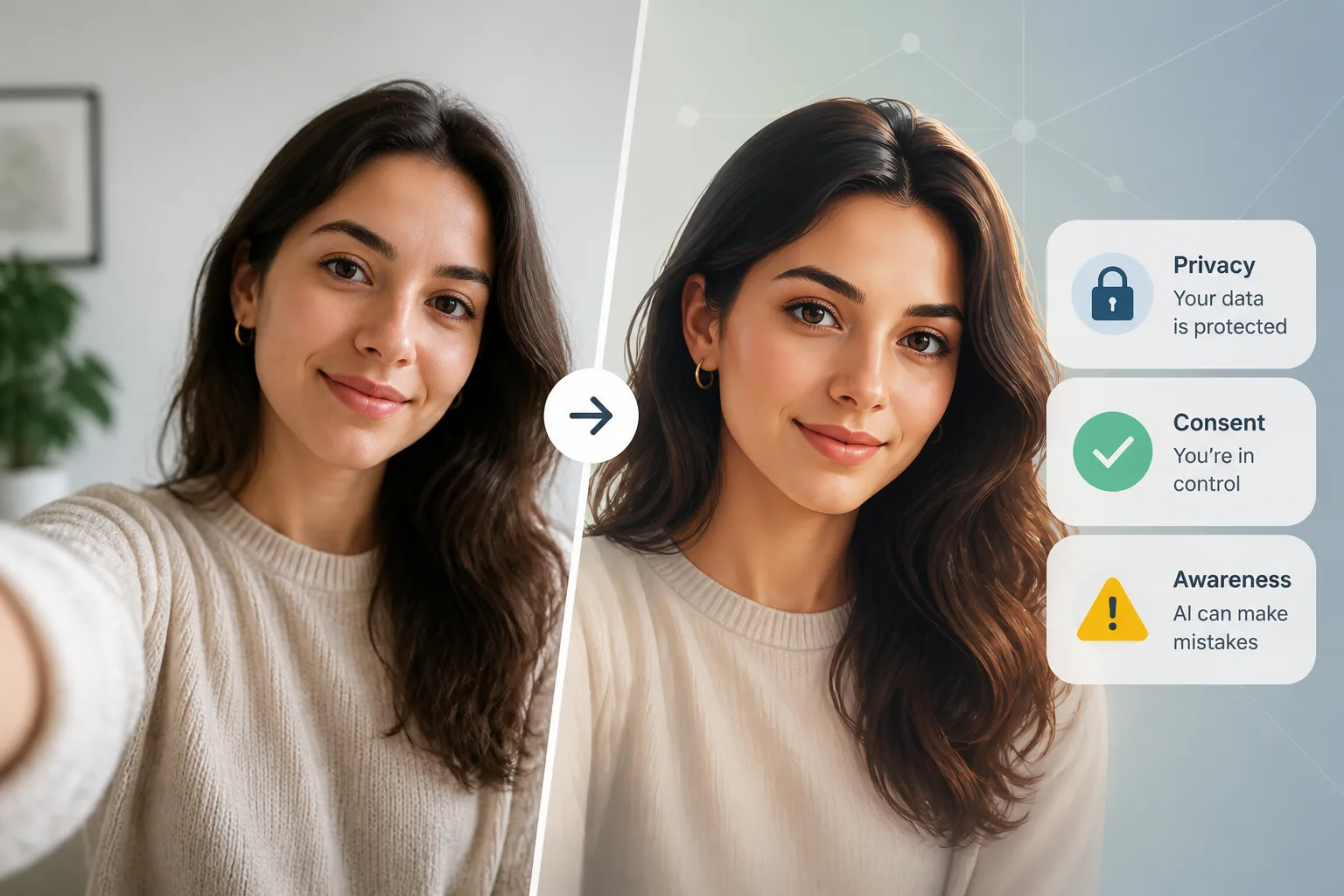
AI portraits can be fun, flattering, and surprisingly creative. They can also be risky if you upload selfies without thinking about privacy, consent, platform rules, or how the final image might be used. If your face is part of the input, you are not just making art. You are also handling personal data, sometimes biometric data, and possibly creating an image that can influence how other people see you in a very real way.
That is why using AI portraits safely and ethically takes more than good taste. It means understanding who can use your image, what the tool may do with it, how the final portrait could be interpreted, and whether the result stays honest enough for the context where you share it. A polished AI portrait can be perfect for fun, but it should not quietly cross into deception, appropriation, or careless data sharing.
Why AI Portraits Need More Than Just Good Taste
A portrait is not just a picture. It is a representation of identity. When AI edits, stylizes, or fully generates a new image from your selfies, the output may look like you, but it is also a machine interpretation of you. That creates a few new responsibilities.
First, your selfies may contain more than a face. They can reveal location clues, background details, clothing, relationships, workplace settings, or even metadata. Second, the portrait itself can create an impression that is more flattering, more youthful, more professional, or simply more polished than reality. That may be fine for entertainment, but it can become misleading if people expect it to reflect your true appearance.
The ethical issue is not whether you should ever use AI portraits. It is whether you are using them with informed consent, accurate expectations, and respect for the people and cultures represented in the image.
Who Owns Your Face? Consent, Image Rights, and Biometric Laws Explained
In the United States, there is no single federal law that governs facial recognition in a universal way. Instead, protections depend heavily on state and local laws. As of 2025, at least 23 states have enacted or expanded biometric data laws that regulate how face geometry may be collected, used, or disclosed, according to LegalClarity: https://legalclarity.org/is-facial-recognition-technology-legal/
That matters because selfies are not just ordinary photos in many legal contexts. A face scan or face geometry can be treated as biometric information. Illinois is one of the best-known examples because its Biometric Information Privacy Act, or BIPA, explicitly includes face scans or face geometry in the definition of a biometric identifier and requires notice and consent for collecting or using that data, according to National Privacy Authority: https://nationalprivacyauthority.com/biometric-data-privacy-laws
So before you upload your own face, ask a simple question: does the app have a clear privacy policy, and does it explain what happens to my photos, face data, or training data? If the answer is vague, that is a warning sign. Also remember that if you upload someone else’s face, even a friend’s, a partner’s, or a coworker’s, you may need their consent depending on local law and the platform’s terms.
Copyright is a separate issue. In the U.S., purely AI-generated images cannot be copyrighted when there is no meaningful human authorship involved, and the U.S. Supreme Court declined to hear the Thaler case in early 2026, reinforcing that principle. That means an AI portrait may not give you the same ownership expectations you would have for a traditional photograph or illustration. It is another reason to be careful about where and how you share it.
Before You Upload: How to Protect Your Selfies and Personal Data
If you want to use an AI portrait tool, start by reducing the amount of sensitive information you expose. Upload only the images you need. Use selfies that do not show your home address, workplace badges, license plates, family members, or private spaces. If the app asks for several photos to train a personal model, choose images that are clear but neutral.
It also helps to think about metadata. Some photos contain location data or device information embedded in the file. Before uploading, strip metadata when possible and avoid screenshots that reveal notifications or other personal details. If the app lets you crop images, use that to remove background clues and limit unnecessary exposure.
You should also check whether the service says it stores uploads, uses them for model training, or shares them with third parties. A secure experience is not just about encryption. It is also about retention, deletion, and whether you can later remove your content from the system. The less permanent the upload, the better.
This is one reason apps like Selfie AI: AI Photo Generator can be appealing for everyday users, since they emphasize secure processing and personal control while turning ordinary selfies into stylized portraits and animated videos: https://findthe.app/selfie-ai-0xi7wd
What AI Tools May Do With Your Photos Behind the Scenes
People often think they are only submitting a selfie for a one-time result. In reality, some tools may use your images to improve the service, refine models, assess quality, or store reference data for future generations. That does not automatically mean the tool is unsafe, but it does mean you should know what you are consenting to.
Some platforms also require you to certify that you have rights to the uploaded images or that the subject has consented. For example, Portraits.com’s terms require user content not to depict real identifiable persons without consent, which shows how seriously platforms can treat likeness rights and user responsibility: https://www.portraits.com/terms
Another behind-the-scenes issue is provenance. Some AI image services now add visible or invisible watermarks and metadata to generated images so they can later be identified. OpenAI, for example, uses C2PA content credentials and SynthID watermarks for images generated by their tools, and Google Cloud’s Vertex AI supports non-visible watermarks that can be verified later: https://help.openai.com/en/articles/8912793-c2pa-and-synthid-in-openai-generated-images
https://cloud.google.com/vertex-ai/generative-ai/docs/image/verify-watermark
That kind of system can be helpful, because it makes AI use more transparent. But it is not a substitute for your own judgment. A watermark may say the image is AI-generated, but it does not tell viewers whether the portrait is flattering, culturally respectful, or appropriate for the context.
Prompting With Respect: Avoiding Stereotypes, Fetishization, and Cultural Appropriation
Prompt writing is not only about getting a better image. It is also about deciding what kind of image you want the system to produce. AI models are known to reinforce stereotypes if you leave them unchecked. Research and reporting have shown that image generators can default to biased visual patterns, such as overly narrow Western beauty norms or stereotyped cultural markers like turbans for Indian men, according to TechCrunch: https://techcrunch.com/2024/05/07/meta-ai-is-obsessed-with-turbans-when-generating-images-of-indian-men/
That means you should be careful with prompts that ask for ethnicity, nationality, religion, or culture unless the context truly requires it. Even then, the result should be grounded in accuracy, not fantasy. Avoid prompts that sexualize, exoticize, or reduce a culture to a costume. If you want a formal portrait, focus on style, lighting, posture, and setting rather than loaded demographic descriptors.
There is also evidence that prompt refinement can significantly reduce stereotypical outputs. A study using audit rubrics such as the Social Stereotype Index found that stereotype scores fell by about 61% for geocultural prompts, 69% for occupational prompts, and 51% for adjectival prompts after refinement, according to arXiv: https://arxiv.org/abs/2505.20692
In practice, that means a better prompt is often a more specific and more respectful prompt. Instead of asking for a “tribal” or “exotic” portrait, describe the mood, wardrobe category, lighting, camera angle, or professional setting you actually want.
Researchers also warn about shallow uses of cultural symbols, like traditional clothing or heritage adornments, when they are pulled into AI generations without community context. That can perpetuate misrepresentation and harm, as discussed in Live Science: https://www.livescience.com/technology/artificial-intelligence/indigenous-tiktok-star-bush-legend-is-actually-ai-generated-leading-to-accusations-of-digital-blackface
When an AI Portrait Becomes Misleading
Not every edited portrait is deceptive. Most people understand that a styled AI image is not a raw camera snapshot. The problem starts when the image is likely to create a false impression in a context where honesty matters.
Dating apps are the clearest example. If your profile photo makes you look like a different age, body type, or facial structure than you really are, you may be creating a trust issue before a conversation even starts. On professional platforms like LinkedIn, the risk is different but just as important. A portrait that is too altered may make you seem unrecognizable in real meetings, which can undermine credibility.
For business use, the rule of thumb is simple: if the image would surprise people who meet you in person, it is probably too edited for a profile where accurate representation matters. For social media, you have more freedom, but transparency still helps. If the image is heavily AI-generated, consider saying so in the caption or at least making sure the audience would not reasonably believe it is a normal photograph.
Ethical use is about matching the image to the setting. A fantasy portrait for a personal post is one thing. A highly retouched AI headshot on a resume or dating profile is another.
Using AI Portraits on Dating Apps, Social Media, and Professional Profiles
Different platforms have different expectations, which is why one portrait can be perfectly fine in one place and problematic in another. On dating apps, your photo should still look like you on a typical day. It can be polished, but not misleading. On social media, creative portraits are usually more acceptable, especially if your account is clearly casual or artistic.
Professional profiles need the strictest standard. A LinkedIn photo should support recognition, trust, and professional continuity. If the image is too theatrical, too glamorized, or too heavily altered, it may work against you. The same applies to company bios, speaker pages, and business websites, where clients and colleagues expect authenticity.
One practical approach is to keep two versions. Use a realistic headshot where identity matters, and a more creative AI portrait where expression and style matter more than exact likeness. That lets you enjoy the technology without blurring the line between identity and entertainment.
How to Spot Overedited or Manipulated Results
Sometimes the safest AI portrait is the one you do not post. Look for signs that the image has drifted too far from reality. Skin may be unnaturally smooth, teeth may be overly uniform, eyes may be asymmetrical, jewelry may disappear, or hair may look physically impossible. Hands, ears, backgrounds, and reflections are common trouble spots too.
If the image seems “better than real” in a way that hides your actual features, pause before sharing it. Ask whether the portrait still represents you or whether it has become a kind of visual fiction. That question matters even more if you are using the image to introduce yourself in a dating or professional setting.
A useful habit is to compare the AI version with a recent unedited selfie. If the difference is dramatic, consider whether you are comfortable with that gap. The goal is not to reject beauty or creativity. It is to avoid creating expectations that the real you cannot reasonably meet.
Watermarking, Storage Settings, and Safer Sharing Practices
Watermarking can be a smart transparency tool when it is done honestly. Ethical watermarking should reflect reality, clearly disclose that AI was involved, preserve the image’s aesthetic integrity, and remain consistent across uses. Poorly implemented watermarking can mislead viewers or create legal problems, including issues tied to copyright and attribution, as noted in discussions of ethical watermarking and AI law.
At the same time, watermarking is not the only protection you need. Check whether the app lets you disable public galleries, turn off model sharing, and delete your uploads. If the platform keeps a copy of your selfies indefinitely, the convenience of a quick portrait may not be worth the long-term exposure.
When sharing, think before you post widely. A portrait can be copied, reposted, or used out of context. If you would not want the image appearing in a group chat, a work presentation, or a mockup ad, do not assume it will stay private just because it originated in an app.
The safest sharing practice is often the simplest one: limit visibility, keep backups of your original files, and avoid uploading more personal data than the tool truly needs.
A Simple Ethical Checklist Before You Post Any AI Portrait
Before sharing an AI portrait, run through a short checklist. Do I have the right to upload every face in the image? Did I read the privacy policy and terms? Did I remove unnecessary personal data and metadata? Does the result respect the people, culture, or profession it represents? Could anyone reasonably mistake this for a real photo in a context where accuracy matters?
If the answer to any of those questions feels uncertain, wait. Make the prompt more specific, reduce the realism, choose a different platform, or skip the post entirely. Good judgment is part of using AI well.
AI portraits can absolutely be enjoyable, creative, and useful. But the best ones are not just attractive. They are also respectful, transparent, and safe. If you treat your face as both an image and a form of personal data, you will make better choices every time you tap upload.