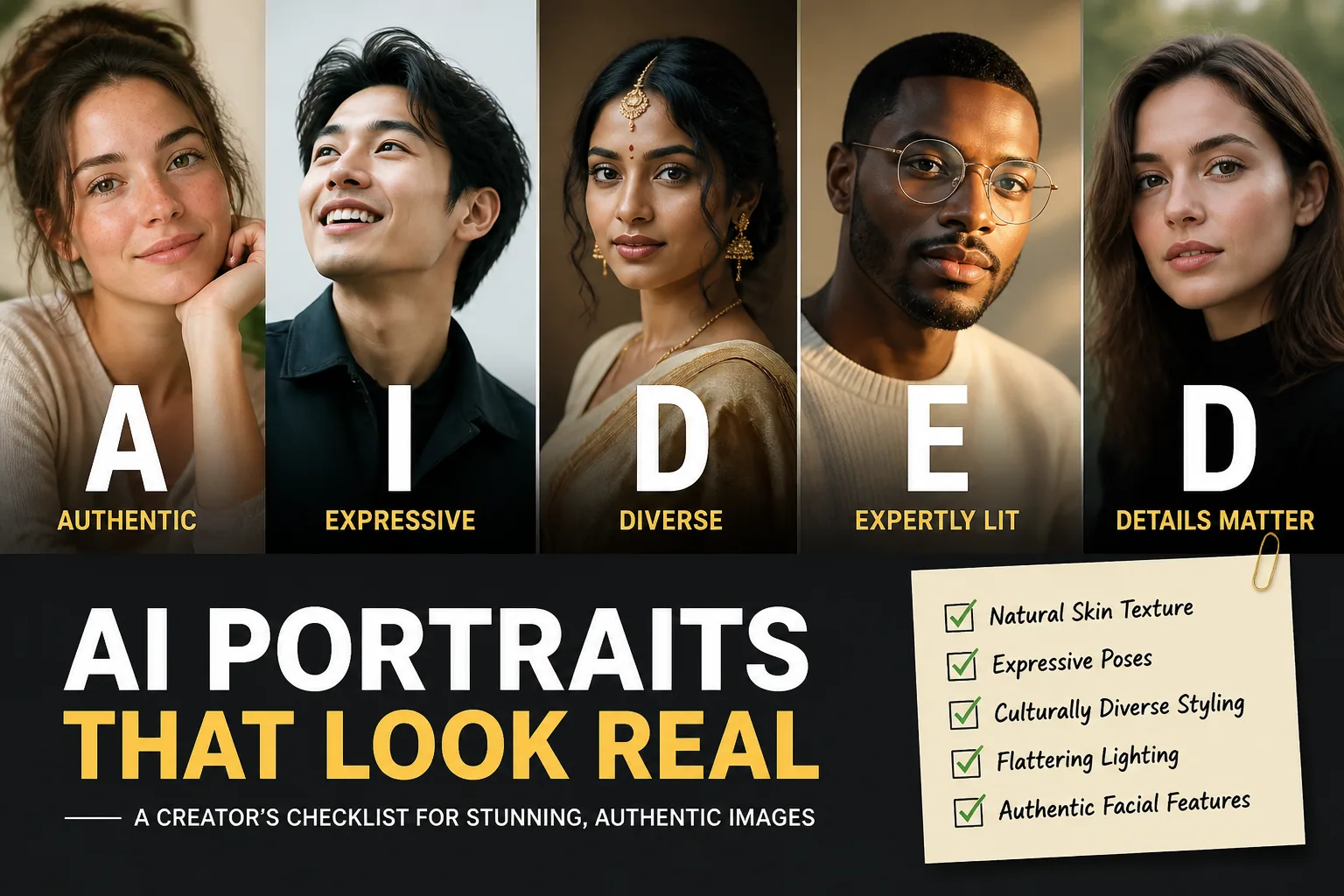
How to Make Your AI Portraits A.I.D.E.D.: A Quick Checklist for Authenticity, Detail, Expression & Diversity
A lot of AI portraits look impressive at first glance, but still feel oddly generic. The face may be technically polished, yet the final image can still seem flat, over-smoothed, over-posed, and strangely unhuman. That usually happens when the generation focuses on surface-level beauty instead of the small cues people naturally read as real: skin texture, asymmetry, eye detail, lighting depth, emotional tension, and cultural specificity.
That is where the A.I.D.E.D. framework helps. It is a simple creative checklist built around five goals: Authenticity, Detail, Expression, and Diversity, with intentionality guiding all of them. If you use it while writing prompts, choosing styles, and reviewing outputs, you can move from generic AI headshots to portraits that feel personal, believable, and visually richer.
Why So Many AI Portraits Still Look Generic
The reason so many AI portraits feel fake is not just that the model is bad. Often, the prompt is too vague, the style instructions conflict, or the lighting is left unspecified. Research notes that cheap tools frequently over-smooth skin, create unnatural symmetry, and remove subtle imperfections that make faces human. In other words, the image may be sharp, but it is missing the tiny irregularities that give a portrait life. Source: BestPhoto Blog https://bestphoto.ai/blog/why-ai-headshots-look-fake
Common failure points repeat over and over: plastic skin, doll-like eyes, stiff posture, bland backdrops, and one-size-fits-all styling. When the prompt says only “professional portrait” or “beautiful person,” the generator has too little direction. Supershoot points out that vague prompts, conflicting style elements, and missing lighting details are some of the most common reasons AI portraits look generic. Source: https://supershoot.co/blog/common-ai-portrait-mistakes
What A.I.D.E.D. Means and Why It Works
A.I.D.E.D. is a practical way to think about portrait prompting and review. It reminds you to ask four questions before you accept an image: Does this still look like a real person, with real features? Does it have enough texture, depth, and environmental detail? Does it communicate mood or presence, not just a face? Does it represent identity in a way that feels broad, specific, and respectful?
The framework works because it pushes you away from generic beauty filters and toward portrait storytelling. Instead of asking the model for perfection, you ask it for realism, character, and context. That shift alone makes a huge difference.
A for Authenticity: Keep the Person, Not Just the Face Shape
Authenticity is the first checkpoint because it protects the things AI tends to erase. Many portraits become too symmetrical, too airbrushed, or too idealized. But real faces are not mirror images. They have slight asymmetry, visible texture, expression lines, and small quirks that make someone recognizable as themselves rather than as an averaged beauty template.
When authenticity is missing, the portrait can still look attractive, but it loses identity. A chin may become too sculpted, cheekbones too uniform, skin too smooth, and teeth too perfect. The person ends up looking like a generic model instead of a distinct individual.
Authenticity Before vs. After: Fixing Over-Smoothed and Over-Idealized Results
Before: a clean, glossy face with no pores, no fine lines, highly symmetrical features, and a vacant expression. It feels like a wax figure rather than a person.
After: the same portrait includes visible skin texture, subtle asymmetry in the eyes and mouth, natural facial contours, and the kind of small imperfections that make a face believable. The result is still flattering, but it feels lived-in instead of manufactured.
Prompt Tips for Preserving Real Features and Natural Asymmetry
To preserve authenticity, use language that explicitly protects human detail. Helpful phrases include “skin texture visible,” “natural asymmetry,” “real facial structure,” “unretouched portrait,” and “fine lines preserved.” Oakgen recommends prompt additions such as “skin texture visible,” “no beauty retouch, no airbrushing,” “visible pores,” and “fine lines,” ideally paired with a photographic style like “85mm film portrait, unretouched editorial photograph.” Source: https://oakgen.ai/blog/fix-plastic-skin-ai-portraits
You can also guide the model away from idealized symmetry by asking for a candid expression or a natural pose instead of a rigid studio pose. If your goal is a true likeness, keep the instructions specific but not overloaded. Too many style constraints can work against realism.
I for Detail: Add Texture, Lighting, Environment, and Props
Detail is what keeps a portrait from feeling empty. It is not just about higher resolution. It is about the visual cues that build depth: clothing texture, hair detail, lighting shape, background context, and carefully chosen props. A plain backdrop can work, but too much emptiness often makes the image feel sterile.
Good detail also improves realism in the face itself. Skin is not a flat surface. Hair is not a single color block. Eyes are not just circles. When AI understands that texture matters, the portrait suddenly feels much more photographic.
Detail Before vs. After: Escaping Plastic Skin and Blank Backgrounds
Before: the image has a glossy face, evenly lit skin, and a background that is either empty or vaguely blurred. The subject looks detached from any real environment.
After: the portrait includes soft directional light, a hint of environmental context, refined fabric texture, and hair that catches light naturally. The face has depth because the image is no longer relying on smoothness alone.
Settings and Prompt Tricks for Better Skin, Hair, and Lighting
Lighting is one of the fastest ways to improve an AI portrait. SelfieAI.me notes that harsh, overly glossy, or flat lighting can intensify the fake look, while soft, directional, or diffused light helps preserve facial structure and natural asymmetry. Source: https://selfieai.me/blog/how-to-spot--avoid-the-fake-look-in-ai-portraits-while-still-going-bold
If you want more realism, describe the lighting rather than leaving it open-ended. Try terms like “soft window light,” “diffused studio light,” or “golden hour side light.” You can also use technical language such as “subsurface scattering,” which ZapFace notes can help skin behave more realistically by giving it warmth and depth. Source: https://www.zapface.app/blog/en/photorealistic-portrait-generation
For hair, ask for visible strands, natural flyaways, and realistic shine instead of perfect, helmet-like shapes. For skin, make texture part of the concept. For backgrounds, choose a specific place, mood, or setting rather than a vague blur.
E for Expression: Create Mood, Emotion, and Stronger Poses
Expression is what turns a portrait from a display image into a human encounter. The face can be technically accurate, but if the eyes are blank and the pose is stiff, the image still feels lifeless. Expression is built through gaze, micro-emotion, posture, and the relationship between the subject and the camera.
One of the most common AI problems is the dreaded empty look in the eyes. PixelMuse & Picasso IA highlight the importance of prompt cues like “sharp focus on eyes,” “catchlights in eyes,” and iris detail, which help prevent that doll-like effect and add emotional presence. Source: https://www.pixelmuse.studio/blog/photorealistic-ai-portraits
Expression Before vs. After: From Stiff Headshots to Human Presence
Before: the subject looks straight ahead with a frozen smile, flat eyes, and no tension in the body. The image feels like a corporate template.
After: the subject has a slight turn of the head, a thoughtful gaze off-camera, subtle catchlights, and a calm but readable mood. The image feels like a person caught in a real moment.
How to Direct Pose, Gaze, and Emotion in Your Prompts
Do not just ask for a portrait. Direct the emotional posture. You can describe the pose as “relaxed shoulders,” “slight three-quarter angle,” or “natural candid stance.” You can describe the gaze as “looking just past the camera,” “direct eye contact,” or “soft reflective gaze.”
For emotion, use words that are specific enough to guide the model without making it theatrical. “Quiet confidence,” “warm curiosity,” “calm focus,” or “gentle smile” often work better than broad labels like “happy” or “serious.” The goal is to create a person with presence, not a posed mannequin.
D for Diversity: Represent Culture, Body Types, Age, and Style Authentically
Diversity is not only a fairness issue. It is also a quality issue. If every portrait starts to look like the same young, conventionally attractive, narrow demographic, the output becomes visually repetitive and culturally thin. A stronger portrait library includes different ages, skin tones, body types, gender expressions, hairstyles, and style references.
Research shows that many AI systems overrepresent White males. In analyses of Stable Diffusion XL images across professions and races, White males dominate, while only about 3 percent were Asian and about 5 percent Indian in one dataset. Source: https://arxiv.org/abs/2402.01002
Bias can also appear in more subtle ways. One study found that AI image generators can amplify stereotypes, including linking femininity with beauty or intelligence with masculinity, and depicting women in sexualized or stereotypical roles more often. Source: https://link.springer.com/article/10.1007/s00146-025-02282-1
Before: all portraits use the same beauty standard, the same age range, the same body silhouette, and the same fashion cues. Even if the faces differ, the identities blur together.
After: the portraits reflect distinct cultural references, age range, style choices, and body types. A business portrait, for example, can still feel polished while showing a person whose identity is not flattened into a generic template.
The key is to be specific without being reductive. Mention cultural context when it matters, but avoid turning identity into costume. Instead of using cliché descriptors, think in terms of lived details: hairstyle, wardrobe logic, setting, season, profession, and self-presentation.
Inclusive prompting should also avoid oversexualization or novelty framing. The goal is not to make someone look “exotic” or “different” for its own sake. It is to create portraits that honor how people actually present themselves.
There is also a positive effect to diversity. Research on AI-generated faces suggests that exposure to inclusive portraits across race, gender, and age can reduce viewer bias, while non-inclusive images can worsen it. That means diversity is not only ethical, it can shape perception in a better direction. Source: https://arxiv.org/abs/2402.01002
Ethics Checklist: Copyright, Consent, Disclosure, Bias, and Privacy
A strong AI portrait is not only visually convincing. It is also responsibly made. Purely AI-generated images generally lack human authorship under U.S. law and therefore typically cannot be copyrighted, although meaningful human contribution through prompt-writing, selection, and editing may matter. Source: https://legalclarity.org/can-you-use-ai-images-commercially/
Consent matters too. Using recognizable people, whether living or deceased, without permission can raise right-of-publicity issues. Copyright and trademark concerns can also appear when logos, brands, or well-known characters are included. Source: https://legalclarity.org/can-you-use-ai-images-commercially/
Disclosure is another best practice. Labeling AI-generated or AI-enhanced portraits can help prevent deceptive use and may become increasingly expected under consumer protection standards. Even where the law is still evolving, transparency builds trust. Source: https://legalclarity.org/can-you-use-ai-images-commercially/
Finally, protect privacy. If you are uploading selfies or personal reference photos, choose tools that explain how content is processed and stored. Keep your use of personal data limited to what is needed for the result you want, and avoid feeding in sensitive or identifying information unless you are comfortable with the platform’s policies.
A Quick A.I.D.E.D. Checklist You Can Use Before You Hit Generate
Before generating a portrait, ask yourself: Does this prompt preserve authentic facial structure, natural asymmetry, and real skin texture? Have I added enough detail about lighting, setting, and materials? Does the pose or gaze communicate a real mood? Have I represented identity, culture, age, and body type with care instead of defaulting to a stereotype?
A simple prompt can become much stronger when it follows that logic. For example, instead of “professional woman portrait,” try something more intentional like “natural unretouched editorial portrait of a confident professional woman, visible skin texture, soft directional window light, subtle asymmetry, calm focused gaze, tailored blazer, realistic background, high-detail eyes with catchlights.”
If you want a tool that helps you explore multiple directions while keeping your likeness central, Selfie AI: AI Photo Generator is a useful option. It lets you upload a few selfies to create a personalized AI model, then generate portraits in different categories and even custom scenarios: https://findthe.app/selfie-ai-0xi7wd
Final Takeaway: Better AI Portraits Start With Better Intentionality
The best AI portraits are not the most polished ones. They are the ones that feel considered. A.I.D.E.D. works because it asks you to think like a photographer, an art director, and an ethical editor at the same time. Authenticity keeps the person recognizable. Detail gives the image depth. Expression creates human presence. Diversity makes the result more representative and more interesting.
If you want portraits that look less like mass-produced avatars and more like real visual stories, start with better intent. Be specific, be consistent, and be thoughtful about what makes someone look like themselves. That is how AI portraits move from generic to genuinely compelling.