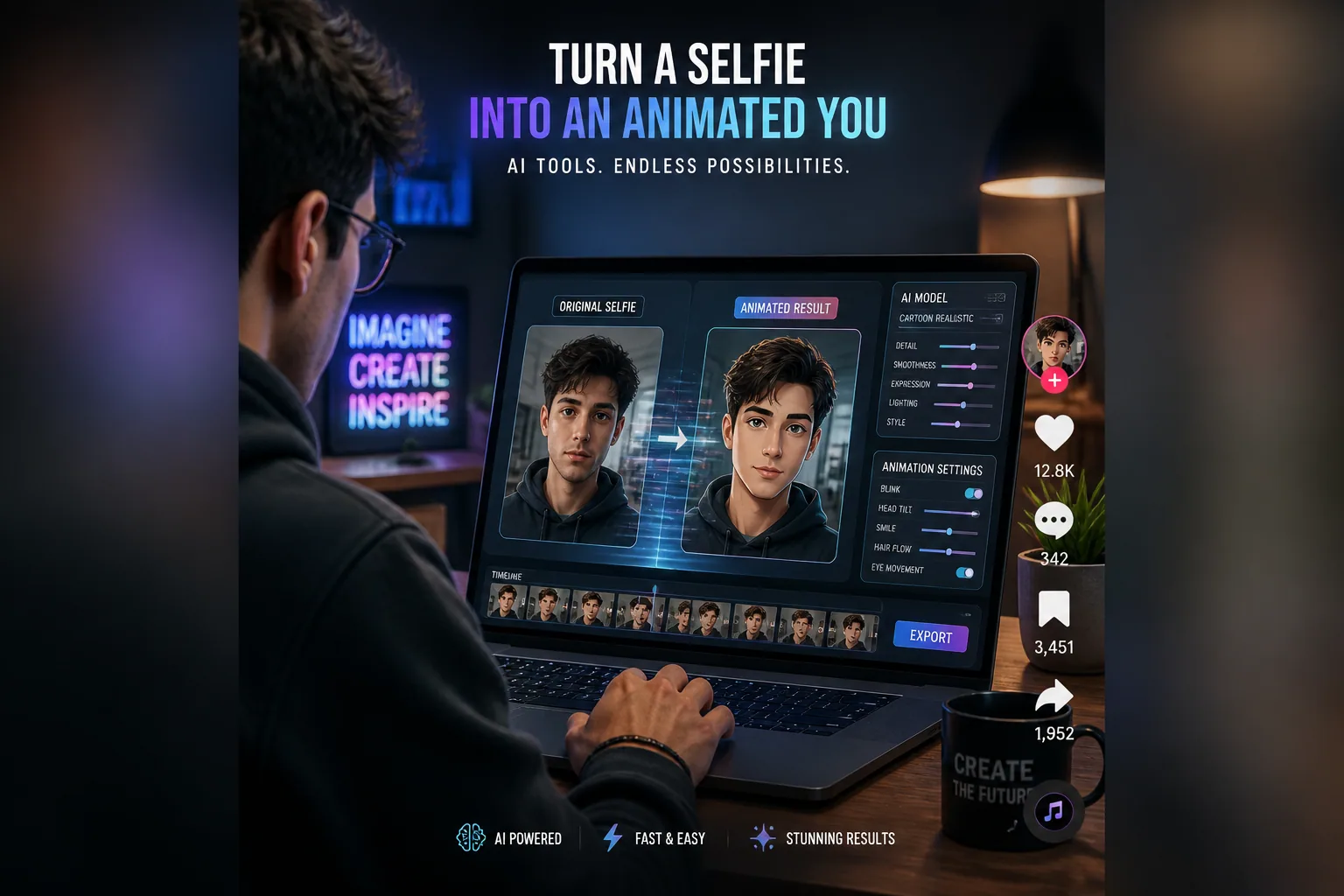
How to Animate Your AI Portraits Like a Pro: Trends, Techniques & Tools for Lifelike Motion
AI portrait animation is having a major moment in 2026. What used to feel like a novelty effect has become a creative format people use for profile content, short-form videos, personal branding, and social storytelling. The appeal is simple: a static portrait can suddenly feel alive with a subtle blink, a natural head turn, or a gentle expression shift. When done well, the result feels polished, modern, and surprisingly human.
The reason this trend keeps growing is that the technology behind it has improved fast. Diffusion-based video models now lead the field because they can produce higher-resolution results, more natural motion, and better temporal coherence than older GAN-based approaches. At the same time, creators are learning that great output starts long before the animation step. The source image, the prompt, the motion style, and even the editing workflow all have a big impact on whether a portrait feels cinematic or uncanny.
In this guide, we’ll break down the models behind the motion, how to choose the best portrait to animate, what facial features animate best, how to write motion-focused prompts, and which editing habits help keep your clips consistent and realistic. We’ll also cover common mistakes to avoid, the best formats for social platforms, and a simple workflow you can follow from selfie to finished clip.
Why AI Portrait Animation Is Taking Off in 2026
AI portrait animation is taking off because it sits right at the intersection of identity, storytelling, and speed. People want content that feels personal, but they also want it to be easy to produce. A still AI portrait already gives you a stylized version of yourself or a character. Animation adds presence. It creates the feeling that the image is participating in the moment instead of just representing it.
Short-form platforms have also pushed creators toward motion-first content. On Instagram Reels, TikTok, and similar feeds, movement buys attention. Even very subtle animation can stop the scroll better than a static image. That makes animated portraits especially useful for creators who want something more eye-catching than a still profile picture, but less time-consuming than a full video shoot.
Another reason the format is growing is that AI portraits now fit more use cases than ever. They can be used as profile loops, promo clips, social intros, digital avatars, campaign visuals, and brand assets. They are also easy to remix into different aesthetics, from polished business headshots to fantasy characters, seasonal scenes, or fashion-forward visuals. Tools like Selfie AI: AI Photo Generator make that process even easier by turning ordinary selfies into AI-generated portraits and animated videos in just a few taps: https://findthe.app/selfie-ai-0xi7wd
The bottom line is that animated portraits work because they feel both efficient and expressive. They help creators make content that is visually richer without requiring a complex production setup.
Diffusion vs. GAN Models: What Powers Lifelike Motion?
If you want to understand why some animated portraits look smooth and believable while others feel rigid or off, it helps to know the difference between diffusion and GAN-based methods. Historically, a lot of portrait animation relied on GANs. These methods were important, but they often struggled with identity drift, stiff motion, and facial expressions that did not stay consistent from frame to frame. The Incarn Blog notes that GAN-based methods, including older approaches used in tools like Deep Nostalgia, are more prone to inconsistent expressions and rigid motion than newer diffusion systems: https://www.incarn.co/en/blog/ai-photo-animation-technology
Diffusion-based models changed the game. They now dominate photo animation because they deliver higher resolution output, often up to 1080p, while generating motion that feels more natural and specific to each image. Instead of pushing a face through a limited motion template, diffusion models can preserve more of the subject’s individuality. That means better subtlety in blinking, head movement, facial timing, and overall realism. The same source highlights that diffusion-based models have overtaken GANs in photo animation since 2023 to 2024 because of these improvements.
A great example of this progress is MagicAnimate, a CVPR 2024 diffusion-based human-image animation method. It is designed to maintain long-range temporal consistency and multi-view consistency, which helps reduce flicker and the unnatural jumps that ruin realism. You can read the paper here: https://openaccess.thecvf.com/content/CVPR2024/papers/Xu_MagicAnimate_Temporally_Consistent_Human_Image_Animation_using_Diffusion_Model_CVPR_2024_paper.pdf
There is also interesting work on trajectory-guided editing. The Follow Your Motion framework improves temporal consistency by introducing motion guidance into diffusion-based editing tasks. In simple terms, that means the model is better at keeping movement organized across frames instead of letting the face drift into instability. The study reports stronger performance on benchmarks than existing approaches: https://arxiv.org/abs/2503.22225
GANs have not disappeared completely. Some techniques, including 3D GAN inversion, still support controllable portrait animation and can do a good job with pose transfer and attribute editing while preserving identity. But if your goal is modern, lifelike motion with fewer artifacts, diffusion-based systems are generally the better starting point. A useful way to think about it is this: GANs helped establish the category, but diffusion is what made it feel truly production-ready.
How to Choose the Best Source Image for Animation
The quality of the source image is one of the biggest factors in how well an animated portrait will turn out. Even the best model cannot fully rescue a bad input. If the face is blurry, poorly lit, partly hidden, or captured from an awkward angle, the animation is much more likely to break down into artifacts or odd facial motion.
For best results, use a front-facing portrait with clear facial features. The eyes, nose, and mouth should be visible and well defined. Restory Blog recommends a moderate to high-resolution image, ideally at least around 500 pixels across the face, with neutral or slight expressions and even lighting: https://www.restory.photos/blog/animate-old-photos-ai
That advice lines up with how animation models read faces. A clear front-facing image gives the system a stronger reference for identity, symmetry, and expression. Even lighting helps the model separate the face from the background and prevents shadow patterns from being mistaken for facial structure. A neutral expression is also useful because it gives the animation room to add motion naturally without fighting against an already exaggerated pose.
Avoid source images with heavy occlusion, strong profile angles, or extreme three-quarter views if your goal is realistic motion. The same Restory research notes that poor lighting, shadow-heavy faces, low resolution, and damaged or obscured features can significantly lower quality and increase the risk of artifacts. In practical terms, that means glasses glare, harsh side light, masks, hands in front of the face, and deep shadows can all reduce stability.
If you have multiple images, choose the one that feels the most balanced rather than the most dramatic. A clean, well-framed selfie often outperforms a more artistic shot because the model has less ambiguity to solve. For animation, clarity beats complexity.
What Parts of a Portrait Animate Best
Not every facial feature contributes equally to convincing motion. The strongest animations usually come from a combination of small, layered movements rather than one dramatic action. Eyes, eyelids, brows, mouth, jaw, and subtle head drift all work together to create the impression of life.
Eyes are especially important because they anchor identity and attention. Small changes in gaze direction, blinking rate, and eye moisture cues can make a portrait feel much more present. Brows also matter because they help communicate emotional timing. A slight brow raise or softening can make motion feel responsive instead of mechanical.
The mouth should move, but it should not dominate the clip unless the goal is lip-sync or speech. One of the most common mistakes, according to PixelFox AI, is mouth-only animation while the eyes and brows stay static. That kind of mismatch is a fast route into the uncanny valley: https://pixelfox.ai/blog/animated-facial-expressions-guide-ai-workflow-2026-
Subtle head motion is another key piece. Very tiny turns, drifts, or nod-like shifts make the face feel physically situated in space. Without that movement, even a good blink can feel pasted on. VidModel points out that realistic animation depends on maintaining identity consistency, coherent lighting, realistic timing, and facial micro-expressions across motion: https://www.vidmodel.ai/en/blog/why-ai-video-feels-almost-right-but-not-quite
The best animations often feel underplayed rather than dramatic. A believable portrait does not need constant action. It needs motion that appears to be caused by thought, breath, and attention. That is why restrained movement often looks more professional than a heavily expressive loop.
How to Write Motion-Specific Prompts That Actually Work
If your animation tool supports prompting, it is worth treating the prompt as a motion director’s note rather than a style label. A good motion prompt should tell the model how the subject should move, how intense the movement should be, and what the overall pacing should feel like.
Instead of saying something broad like “make it realistic,” describe the motion precisely. For example, you might ask for a soft blink, a gentle head turn, subtle eye movement, a slight smile, and natural breathing rhythm. Those cues help the model prioritize the specific motions that improve realism.
You also want to guide the emotional tone. A portrait meant for a professional profile should have restrained expression changes, while a fashion or creative avatar might allow slightly more dramatic movement. The key is consistency. If the source image is calm, the motion should usually remain calm unless you are intentionally going for a stylized effect.
One useful prompting strategy is to specify what should stay stable as well as what should move. For example, say that the face should preserve identity, lighting, and hairstyle while introducing only subtle head movement and natural blinking. This gives the model a stronger constraint set and can reduce drifting or over-animation.
If you are using a tool with custom scenario prompts, like the custom prompt feature in Selfie AI, you can use that flexibility to define both the scene and the motion style in one place. That is especially helpful when you want a portrait to feel animated but still aligned with a specific branding angle or fantasy concept.
Editing Tools That Improve Realism and Consistency
Even when the core animation is good, post-processing and editing can make the final result much more convincing. The goal is not to over-edit the clip. The goal is to remove small inconsistencies that pull viewers out of the illusion.
Temporal consistency is one of the first things to check. If the subject’s face flickers, shifts in identity, or changes lighting from frame to frame, the clip will feel unstable. Tools and methods influenced by research like MagicAnimate and Follow Your Motion are valuable because they focus on keeping movement coherent across time instead of letting each frame feel disconnected.
Color consistency matters too. A lot of almost-real AI video problems come from small lighting mismatches, such as skin tones shifting between frames or catchlights appearing in different places. These details seem minor, but they are exactly the kind of signals people notice subconsciously. Starkie.ai describes the uncanny valley in AI portraits as often being triggered by tiny imperfections like mismatched catchlights, overly smooth skin, lighting inconsistencies, and symmetry that is too perfect: https://starkie.ai/articles/ai-headshot-uncanny-valley-why-ai-portraits-look-off
If your workflow allows it, use editing steps that smooth motion, stabilize the frame, and preserve texture. Avoid aggressive face sharpening or beauty filters, because they can make the skin look plastic and reduce realism. If the animation already has enough detail, adding more processing often makes it worse rather than better.
In practice, the best editing tools are the ones that help you preserve identity while correcting small visual errors. The right setup should make the clip feel cleaner, not more artificial.
Common AI Portrait Animation Mistakes to Avoid
The fastest way to make an AI portrait look uncanny is to push too much motion into too little visual information. Many of the most common mistakes are not about the model itself. They are about motion choices that break human expectations.
One major mistake is over-animating the mouth while leaving the rest of the face static. Another is perfect symmetry. Real faces are not mirror images, and motion is not evenly distributed. Slight asymmetry is one of the things that makes a face feel alive. PixelFox AI also points out that missing or excessive blinking, overdone expressions, lack of subtle head motion, and inconsistent emotion across features can all trigger the uncanny valley.
Another common problem is motion timing. Human movement has acceleration and deceleration. It does not happen at a constant speed. When a portrait moves too evenly, it can feel robotic. Likewise, if a subject jumps from one expression to another without a transition, the animation can feel unstable even if the face itself looks accurate.
Lighting problems are equally important. If the direction of light changes during the clip or if shadows slide across the face unnaturally, the animation starts to feel synthetic. VidModel highlights lighting and color coherence as major challenges in making AI video feel truly realistic, alongside identity consistency and micro-expression preservation.
The good news is that these mistakes are usually avoidable with restraint. Start with a stronger source image, ask for subtler motion, and prioritize coherence over spectacle. In portrait animation, less often looks more professional.
Best Formats for Reels, Profile Loops, and Social Content
The best format for animated portraits depends on where you plan to publish them. For Instagram Reels and TikTok, vertical video is usually the safest choice because it fills the screen and feels native to the platform. A vertical crop also helps center the face, which is useful when the animation is relatively subtle.
For profile loops, a short seamless animation often works best. Think of it as a living avatar rather than a mini scene. The clip should be short enough to repeat naturally and should focus on stable, low-amplitude motion such as blinking, a slight head sway, or a soft expression change. That creates the sense of presence without distracting from the profile itself.
For social content, the most effective portrait animations tend to be simple and visually legible. If the character is too busy or the background is too detailed, the motion can get lost. Clean framing and a clear subject help the clip read quickly in a fast-moving feed. That is especially important for branded content, where the goal is recognition first and spectacle second.
Resolution matters as well. Higher-resolution output makes facial detail easier to read, which helps the clip feel more premium. As diffusion-based models have improved, 1080p-level results have become more accessible, and that has raised audience expectations. If your output looks soft or compressed, it can quickly feel less polished than the surrounding content on social platforms.
Think of each format as a different job. Reels are for discovery, loops are for identity, and profile animations are for memorability. The animation style should match the job.
Creative Use Cases for Animated AI Portraits
Animated AI portraits are useful far beyond novelty posts. One of the most obvious use cases is personal branding. A lightly animated headshot can help creators, consultants, coaches, and founders appear more modern and approachable on landing pages, bios, and social profiles.
Another strong use case is themed storytelling. You can place yourself or a model into different environments and use motion to strengthen the scene, such as a beach setting, a formal portrait, a historical era, or a superhero concept. That is one of the areas where AI tools shine because they let you blend identity with imagination very quickly.
Creators also use animated portraits for campaign visuals, teaser content, music promotion, digital collectibles, and seasonal marketing. A portrait that moves slightly can feel more alive in a campaign grid than a static graphic, especially when used as a visual hook rather than the full story.
There is also a strong opportunity in avatar-driven content. As more people build recognizable online identities, animated portraits can act like a lightweight version of a personal mascot. That makes them useful for thumbnails, intros, announcements, and recurring series.
What makes the format especially flexible is that it supports both realism and stylization. You can aim for a polished corporate headshot, a cinematic fantasy portrait, or a playful social avatar, and the animation principles are similar: keep the motion subtle, keep the identity stable, and make the result easy to read.
A Simple Workflow to Go From Selfie to Polished Clip
If you want a reliable workflow, start with the image before you think about animation. Choose a front-facing, well-lit selfie or portrait with visible facial features and enough resolution to hold detail. If needed, generate a stronger base portrait first rather than trying to animate a weak source image.
Next, decide the purpose of the clip. Is it for a profile loop, a Reel, a brand intro, or a stylized social post? That decision should influence both the prompt and the motion intensity. Professional uses usually call for subtle, clean movement. More creative uses can tolerate slightly more expressive motion.
Then write a motion-specific prompt. Focus on blinking, eye movement, small head motion, and natural facial timing. Avoid overloading the prompt with too many behaviors at once. A concise, motion-aware prompt often works better than a long style paragraph because it gives the model clearer priorities.
After generation, review the clip for the usual issues: drifting identity, unnatural blinking, mouth-only motion, lighting shifts, and over-symmetry. If needed, make small corrections rather than chasing a complete re-render every time. The best results usually come from iterative refinement, not one perfect generation.
If you want an easier starting point, Selfie AI can help you create a custom AI portrait first and then animate it in the same workflow. That is useful because it lets you control the look of the source image before motion is added, which often leads to a cleaner final clip. Once you have a strong still image, the animation step becomes much more predictable.
At the end of the day, great portrait animation is about believable motion, not maximum motion. If you choose a strong source image, use diffusion-based tools when possible, prompt for subtle movement, and clean up the output for consistency, you can create clips that feel genuinely polished rather than merely experimental.