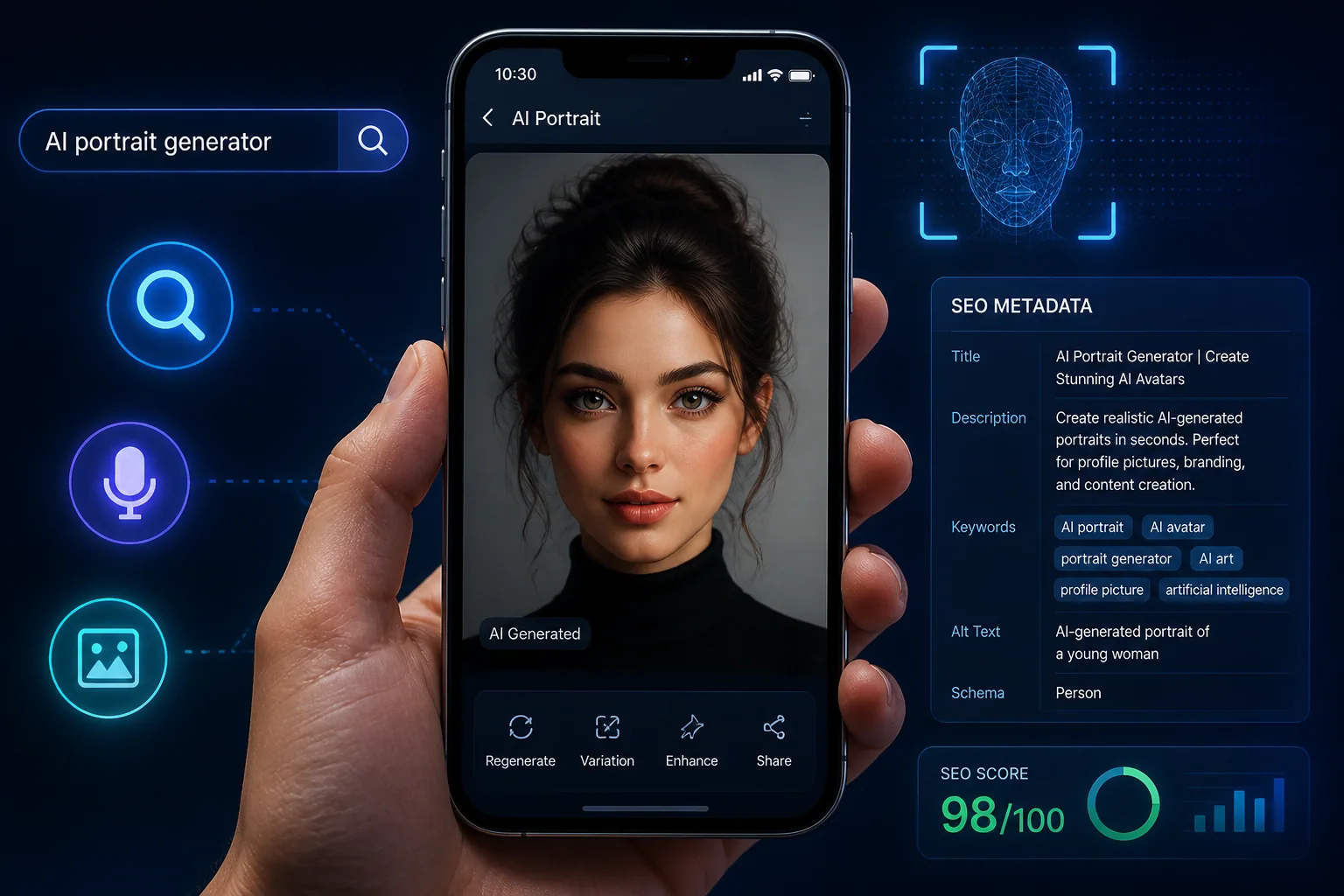
AI Selfies in Search & Discovery: How to Optimize Your Portraits for Image and Voice Search
AI-generated selfies are no longer just fun edits for social media. They are becoming searchable assets that can appear in image results, visual search tools, and even AI answer experiences. That shift matters because the way people find portraits is changing fast. Google has reported that more than one in six searches in the U.S. now use voice or image input, and image searches are growing by over 40% month-over-month. In other words, if your portraits are only optimized for a human scrolling feed, you are missing a growing part of search behavior.
The good news is that AI portraits can be made much easier for search systems to understand. With the right file names, alt text, captions, structured data, publishing format, and visual style, your portraits can become more discoverable in Google Images, Lens-style tools, and generative AI search interfaces. If you are creating AI portraits with tools like Selfie AI: AI Photo Generator, you already have a strong starting point. The next step is making sure those portraits can be found, interpreted, and surfaced by search.
Why AI Selfies Matter in Modern Search
Search is no longer only about words. People now search with cameras, microphones, and conversational prompts. Someone may snap a portrait with Google Lens, ask an assistant to identify a style, or rely on an AI overview to recommend similar images. That means portraits are being evaluated not just for beauty, but for clarity, context, and relevance.
For creators, brands, and anyone publishing portraits online, this creates a new opportunity. A well-optimized AI selfie can help you show up in visual search results, attract traffic from image discovery, and strengthen your brand identity across platforms. The more clearly a search engine can understand who is in the image, what the image is about, and where it belongs, the more likely it is to surface it for the right audience.
This is especially important for AI-generated portraits because they often have distinctive styles, polished lighting, and highly curated themes. Those traits can help them stand out, but only if the surrounding metadata and page context work with the image rather than against it.
What Image Search, Voice Search, and AI Answer Boxes Actually Do
Image search systems try to match visual patterns with textual clues. They inspect the image itself, but they also rely heavily on surrounding page content, filenames, captions, alt text, links, and structured data. Voice search works differently, but it often ends up in the same ecosystem. A voice query like “show me a professional AI portrait” or “find a beach-style profile photo” can trigger results that depend on how well a page describes the image.
AI answer boxes and generative search experiences go one step further. They do not simply index an image. They try to understand the image in context, then synthesize an answer from multiple signals. That means your portraits need more than visual appeal. They need an ecosystem of metadata and relevant on-page text so the AI has enough confidence to classify them correctly.
Search systems also prefer consistency. If your image is labeled as a business headshot but the page describes it as a fantasy superhero portrait, the signals conflict. If the file name, alt text, caption, and page copy all reinforce the same idea, the image becomes far easier to understand and retrieve.
How Search Engines and AI Assistants Interpret Visual Content
When a crawler or AI assistant encounters an image, it looks for multiple layers of meaning. First, it reads the file path and file name. Then it checks whether the image is embedded in an <img> tag that it can access. Google recommends using HTML <img> tags rather than CSS background images so crawlers can discover the image more easily. After that, it evaluates surrounding text, captions, headings, page topic, and any structured data attached to the page.
The image itself can also provide clues. Facial composition, color palette, background setting, clothing, pose, and editing style all contribute to visual classification. That is why a portrait with clear framing and a distinctive setting is usually easier for systems to interpret than an abstract or heavily stylized image with no descriptive context.
For AI-generated selfies, this means the best results come from alignment. Your portrait should visually communicate the same theme your page copy is describing. If the image is a polished executive headshot, the surrounding page should say so. If it is a vintage-inspired portrait in a 1960s setting, the text should mention that clearly. Search engines need both the image and the words around it to tell the same story.
File Names, Alt Text, Captions, and Tags: The Metadata That Matters
If you want portraits to be discoverable, metadata is not optional. It is one of the most practical ways to help search systems understand your image. Start with the file name. Descriptive filenames with hyphens, such as portrait-black-hair-sunny-day.jpg, are much better than generic names like IMG00023.JPG. They provide a weak but useful signal about the image content.
Alt text is even more important. Google considers alt text the single most important textual signal for understanding what an image depicts. Good alt text should be specific, natural, and concise. It should describe what is actually visible in the image, not just repeat keywords. For example, “AI-generated portrait of a woman in a navy blazer standing in a bright office” is far more useful than “AI selfie portrait best AI selfie portrait photo.”
Captions also matter because they sit close to the image and often get read by both users and search engines. A caption can add context that does not belong in alt text, such as who the portrait is for, what style it represents, or when and where it was published. Tags and categories help too, especially on content platforms that use them for internal discovery.
A strong rule here is simple: use each field for a different purpose. File names identify the image, alt text describes the image, captions add context, and tags organize the content. When these elements work together, your portrait becomes easier to index and more useful to search systems.
Using Structured Data to Give AI Portraits More Context
Structured data adds another layer of clarity. Schema.org properties like mainEntityOfPage and primaryImageOfPage, along with Open Graph tags such as og:image, help search engines choose the correct image preview in results and rich cards. This is especially valuable when a page contains multiple images and you want one specific portrait to represent the content.
If your images have licensing or creator information, ImageObject structured data or IPTC metadata can also help. Google notes that this type of metadata can make portraits eligible for features such as the Licensable badge in Google Images. That is helpful for creators who want better attribution and more control over image usage.
Structured data is not just for technical SEO. It is a way of telling AI systems, with precision, what the image is, who created it, and how it should be interpreted. That matters more and more as search moves toward generative summaries and multimodal understanding.
Best Image Formatting Practices for Speed, Quality, and Visibility
A portrait can be beautiful and still underperform if it is too heavy, poorly sized, or hard to load. Image resolution, compression, and optimization affect page speed, and page speed influences Core Web Vitals such as Largest Contentful Paint. Oversized unoptimized images can slow the page and make it less competitive in search.
The goal is to balance quality and performance. Use modern formats like WebP or AVIF when possible, since they are supported by Google Search and can reduce file size without sacrificing much visual quality. For responsive delivery, use <picture> elements or srcset so different devices receive the appropriate resolution. That helps phones load fast while still allowing large screens to display high-quality portraits.
Orientation also matters. Portraits usually perform best when the image format matches the context in which it appears. A vertical portrait may be ideal for a profile page or story-like layout, while a horizontal version may work better for editorial content. The point is to avoid forcing one file into every use case.
If you are publishing a lot of AI portraits, keep a close eye on file size, sharpness, and crop safety. A clean, optimized image is more likely to be indexed quickly, shown correctly, and favored by the systems that rank fast-loading pages higher.
How to Make Your AI Portraits More Unique and Search-Friendly
The internet is crowded with faces. If your AI portraits look too generic, they may blend into the background of search results. One of the smartest SEO moves is to create a distinctive visual style that becomes recognizable over time. That can mean a consistent color palette, signature lighting, repeating wardrobe themes, or a specific composition style that makes your portraits identifiable at a glance.
Distinctiveness helps both users and algorithms. Users remember images that feel different. Algorithms are also more likely to separate one visual identity from another when the composition and styling are consistent. That does not mean every portrait should look identical. It means your visual identity should be cohesive enough that search systems can associate it with your brand or profile.
You can also improve search-friendliness by pairing style with context. A custom AI portrait that is clearly labeled as a business headshot, vacation scene, wedding portrait, or superhero concept gives both visual and textual cues that reinforce discovery. This is where platforms like Selfie AI: AI Photo Generator can be especially useful, since they let you explore varied categories and create more intentional portrait sets rather than random outputs.
The more specific your creative direction, the easier it is to generate portraits that stand out in crowded search environments. Search does not reward blandness. It rewards clarity, relevance, and consistency.
Where to Publish AI Selfies for Better Discovery
Where you publish your portraits affects how discoverable they become. Pages with strong authority, clear topical relevance, and crawlable image markup give your portraits a better chance of appearing in search. That can include your own website, portfolio pages, blog posts, profile pages, and image-rich social or publishing platforms that allow indexing.
When publishing, make sure the image is placed in context. A portrait uploaded to a page with no text, no caption, and no descriptive heading gives search engines little to work with. A portrait published inside a relevant article, gallery, or profile page gives it far more context. Surrounding copy should answer the basic questions of who, what, where, and when.
Use the page itself as a discovery engine. Group similar portraits together, create thematic galleries, and keep the page topic tightly aligned with the image type. If the content is about professional headshots, do not bury the image in a page about unrelated topics. Relevance improves interpretation.
How to Track Performance with Google Lens, Reverse Search, and Assistant Testing
Optimization is not something you do once and forget. You need to test how the image behaves in the wild. Reverse image search and Lens-style tools such as Google Lens and TinEye are useful for checking whether your portraits are being indexed, where similar images appear, and whether anyone is using them without permission. They are also helpful for understanding how the image is classified visually.
Try searching for your own portraits with different query styles. Use descriptive queries, voice-style queries, and intent-based queries like “best AI portrait for LinkedIn” or “vintage AI profile photo.” See which captions, page titles, and surrounding text seem to support visibility. This kind of testing reveals what search systems are really reading.
Assistant testing is also useful. Ask a voice assistant or AI search tool to describe the image, identify the style, or suggest similar images. If the system misreads the portrait, you may need stronger alt text, better captions, or improved page context. Over time, these tests help you refine both publishing strategy and content structure.
Common Mistakes That Keep AI Portraits Hidden
One of the biggest mistakes is relying only on the image itself. Search engines need context, and without it, even a great portrait can remain invisible. Another common mistake is using generic filenames or upload defaults that tell the crawler nothing useful. IMG001.jpg may be convenient, but it is not discoverable.
Keyword stuffing is another problem. Alt text should not read like a spammy list of search terms. It should accurately describe the image in natural language. Similarly, using a portrait on a page that has no relevant text around it weakens the entire discovery process.
Some creators also overlook technical issues. Poor compression can hurt page speed, while oversized files can slow loading and damage Core Web Vitals. Others use CSS background images instead of crawlable HTML image tags, which makes discovery harder. And if you never add structured data, you leave extra context on the table.
Finally, many portraits fail because they look too similar to everything else. In a visual search environment, being memorable is a technical advantage as well as a creative one.
A Simple Optimization Checklist for Every AI Portrait You Publish
Before publishing an AI portrait, make sure the file name is descriptive and uses hyphens. Write alt text that clearly explains what the portrait shows. Add a caption that gives the image meaningful context. Use tags or categories where the platform supports them. If the page is yours, include ImageObject or other relevant structured data and point to the correct preview image with og:image or primaryImageOfPage.
Also check the technical side. Make sure the image is embedded with an HTML <img> tag, compressed for fast loading, and served in a modern format such as WebP or AVIF when possible. Use responsive image techniques so the right version loads on the right device. Then verify that the surrounding page copy reinforces the same theme as the image.
If you want a simple rule to remember, it is this: every AI portrait should be easy for both humans and machines to understand. The more clearly you describe, format, and publish it, the more likely it is to show up in image search, voice search, and AI-powered discovery experiences.
And if you are still building your portrait library, creating high-quality sets through https://findthe.app/selfie-ai-0xi7wd can give you a strong foundation for discovery-ready visuals that are easier to optimize from the start.