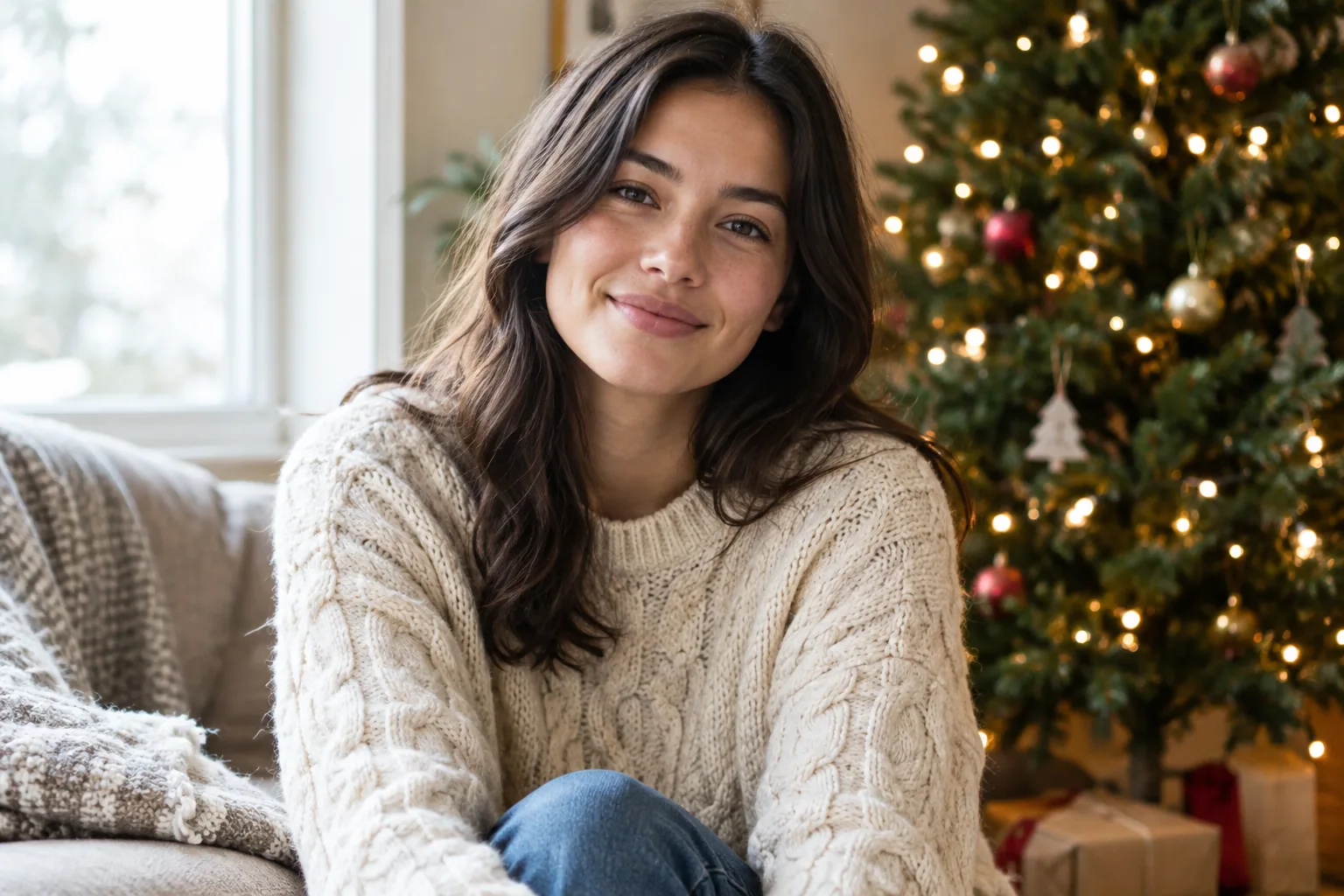
Try a cozy tree-side sweater portrait, a snowy evergreen path, a candy-cane studio, or one of the five other Christmas scenes below. Each copy-ready prompt uses your own selfies as the likeness reference and specifies your outfit, framing, lighting, and photographic finish.
8 copy-ready AI Christmas photo prompt ideas
Use these prompts with a tool that accepts your selfies or a personal AI model. A prompt alone cannot reproduce your face without that visual reference.
1. Cozy sweater beside a Christmas tree
Create a portrait of me as the sole person, using my uploaded selfies or personal model as the likeness reference. Retain my recognizable facial features, skin tone, and hairstyle. Frame me from the waist up, seated upright with a relaxed expression and my hands resting out of frame. Dress me in a red cable-knit sweater beside one Christmas tree with small gold ornaments. Use soft window light from the left and warm tree lights in the background. Give it a realistic photographic finish with natural skin texture and a softly blurred background. No lettering.
Best for: An Instagram post or personal holiday greeting. For a profile picture, crop closer while keeping a few tree lights visible.
2. Snowy evergreen path
Create a portrait of me as the sole person, using my uploaded selfies or personal model as the likeness reference. Retain my recognizable facial features, skin tone, and hairstyle. Show me standing still, framed from the knees up, looking toward the camera with both hands inside my coat pockets. Dress me in a charcoal wool coat and cream scarf on a snow-covered path lined with evergreen trees. Use soft overcast daylight with gentle shadows. Give it a realistic winter editorial finish with visible coat texture and lightly blurred distant trees. No other people or lettering.
Best for: A vertical full post. Keep your face large enough to recognize rather than making the landscape the main subject.
3. Red-and-white candy-cane studio
Create a studio portrait of me as the sole person, using my uploaded selfies or personal model as the likeness reference. Retain my recognizable facial features, skin tone, and hairstyle. Frame me from the waist up, facing the camera with my arms relaxed at my sides. Dress me in a cream sweater and red trousers against a white studio backdrop with one oversized red-and-white candy-cane prop standing beside me. Use a large soft light from the front-left with gentle shadows. Give it a clean fashion-photography finish with natural skin texture. No lettering or extra props.
Best for: A colorful feed post. A tight profile crop may lose the candy-cane detail.
4. Velvet formal portrait
Create a formal portrait of me as the sole person, using my uploaded selfies or personal model as the likeness reference. Retain my recognizable facial features, skin tone, and hairstyle. Use chest-up framing with my shoulders turned slightly and my face toward the camera. Dress me in an emerald velvet blazer over a black top. Place me against a dark background with one softly blurred Christmas wreath behind me. Light my face with soft window light from the right. Give it a realistic studio-portrait finish with visible velvet texture and restrained retouching. Keep my hands outside the frame. No lettering.
Best for: A polished seasonal profile picture or holiday greeting.
5. Vintage holiday living room
Create a portrait of me as the sole person, using my uploaded selfies or personal model as the likeness reference. Retain my recognizable facial features, skin tone, and hairstyle. Frame me from the waist up, seated in an armchair with my hands resting on my lap. Dress me in a cream cardigan over a burgundy shirt. Set the scene in a vintage living room with a small Christmas tree and two wrapped gifts in plain paper. Use warm light from a shaded lamp beside the chair. Give it a subtle film-photography finish with gentle grain and natural skin texture. No lettering.
Best for: A nostalgic feed post or personal card. Leave some room around the chair to show the setting.
6. Christmas market evening
Create a portrait of me as the sole person, using my uploaded selfies or personal model as the likeness reference. Retain my recognizable facial features, skin tone, and hairstyle. Frame me from the waist up, standing still and facing the camera with my hands in my coat pockets. Dress me in a navy coat and burgundy scarf. Place me at an empty Christmas market walkway with two wooden stalls and warm string lights behind me. Use soft stall light on my face against the blue evening sky. Give it a realistic travel-portrait finish. No crowds, readable signs, or lettering.
Best for: A vertical social post that shows both your face and the market lights.
7. Santa-hat close-up
Create a close-up portrait of me as the sole person, using my uploaded selfies or personal model as the likeness reference. Retain my recognizable facial features, skin tone, and hairstyle, with my hair visible beneath the hat. Frame my head and shoulders, facing the camera with a relaxed smile. Dress me in a plain cream sweater and a red Santa hat with white trim. Use a simple dark green background with a few softly blurred Christmas lights. Light my face evenly with soft frontal light. Give it a realistic portrait finish with natural eyes, teeth, and skin texture. Keep my hands outside the frame. No lettering.
Best for: A profile picture. Leave enough space above the hat so a circular crop does not cut it off.
8. Whimsical winter forest
Create a portrait of me as the sole person, using my uploaded selfies or personal model as the likeness reference. Retain my recognizable facial features, skin tone, and hairstyle. Frame me from the knees up, standing still and facing the camera with my hands inside my coat pockets. Dress me in a cream winter coat and forest-green scarf. Place me in a snowy evergreen clearing with a few softly glowing lights suspended among the branches. Use soft blue twilight with gentle warm light on my face. Give it a photographic fantasy finish with realistic facial detail. No creatures, extra people, or lettering.
Best for: A full post with room for the forest setting. For another fantasy-inspired direction, explore the mystical Christmas portrait category.
Choose selfies that keep the result recognizable
Your selfies establish what you look like. The prompt describes the new outfit, setting, and light. Start with a few clear, recent photos of yourself rather than asking the text to reconstruct your appearance.
Choose photos that meet this checklist:
- Your face is sharp and large enough to see clearly.
- Your eyes, eyebrows, nose, and mouth are unobstructed.
- Light falls evenly across your face without deep shadows.
- The selection includes a front-facing view and modest angle variation.
- Your appearance is consistent with how you want to look in the result.
Skip heavy filters, sunglasses, group photos, and repeated copies of the same image. For more help choosing useful references, follow this guide to input selfie lighting and angles.
If the portrait looks unlike you, first simplify the pose and expression. Try a front-facing portrait with a relaxed mouth before adding a strong head turn or a dramatic lighting effect. Avoid instructions such as “flawless skin”; ask for natural skin texture instead.
Customize the outfit, setting, and lighting
Use this reusable structure:
Portrait of me as the sole person, using my selfies or personal model as the likeness reference. Retain my recognizable facial features, skin tone, and hairstyle. [Framing and pose] + [outfit] + [one Christmas setting] + [light direction and softness] + [photographic finish].
Change one main detail at a time so you can judge what improved the result.
| Detail | Starting version | Simple replacement |
|---|---|---|
| Outfit | Red cable-knit sweater | Cream knit sweater |
| Setting | Snowy evergreen path | Beside one indoor Christmas tree |
| Lighting | Warm light from a shaded lamp | Soft window light from the left |
Keep the rest of the prompt unchanged when testing a swap. If you move the scene indoors, remove leftover outdoor instructions such as falling snow or a blue evening sky.
Choose one main setting and two or three main colors. “Cream sweater, green tree, gold ornaments” gives clearer direction than a room packed with gifts, garlands, candles, candy canes, and several lighting styles.
Avoid conflicting instructions such as “bright daylight” and “dark candlelit room.” If your references have soft light from one side, a scene with similarly soft side lighting is a sensible starting point. Replace a selfie with harsh facial shadows rather than trying to correct every shadow through the prompt.
For a holiday card, add: “Leave uncluttered space above my head for a greeting.” Generate the portrait without lettering, then add your message separately so you control its spelling and placement.
Create your Christmas portrait in Selfie AI
Selfie AI lets you upload a few selfies to create a personal AI model, then explore portrait categories. Custom text prompts are a Premium feature, so the eight prompts above are for that route.
- Upload your selected selfies to create your personal model. Use the clear, varied references described above.
- Choose a route. Explore holiday categories as part of the category workflow, or use custom text prompting with Premium. If you prefer not to write a scene, explore the Christmas portrait category.
- For custom prompting, paste one complete prompt. Adjust only the outfit or another essential detail for your first version.
- Generate and review the portrait. Check your likeness before judging the decorations.
- Revise one scene detail at a time. For example, remove the candy-cane prop before changing the outfit, pose, and lighting together.
Category exploration and Premium custom prompting are different routes. Check the app’s current access and subscription details before proceeding; category availability should not be taken as a promise of free generation.
Check faces, hands, and decorations before sharing
Inspect the full-size image first, then preview the exact crop you plan to post.
- Recognizable face: Check your face shape, eyes, nose, and smile against your references.
- Natural eyes and teeth: Look for mismatched pupils, distorted teeth, or an unfamiliar expression.
- Plausible fingers: Check visible hands for extra, fused, or awkwardly bent fingers.
- Consistent decorations: Look for misshapen ornaments, broken candy-cane stripes, or gifts that merge into furniture.
- Coherent shadows: Make sure the light on your face makes sense with the scene.
- Useful crop: Check that a profile circle keeps your face centered and does not cut through your hat.
If hands look wrong, remove handheld gifts or drinks and ask for hands in coat pockets or outside the frame. If decorations merge together, request one tree with fewer ornaments and remove extra props. Delete requests for lettering if the image contains garbled words.
Preview the image at small profile-picture size, too. A detailed forest may work as a full post but distract from your face in a tiny circle. When sharing, describe it as an AI-created holiday portrait, not a photograph documenting a real market visit or snowy outing.
FAQ
Are AI Christmas photos free?
That depends on the tool and its current access terms. The custom-prompt route described here requires Premium, so do not assume these prompts are free to generate in the app. Check current subscription details before paying or starting a generation.
Can I make AI Christmas photos on my phone?
Yes, you can use the app on your phone to upload your own selfies and create a personal model. Start by choosing a few clear selfies, then try a holiday category or use one of the prompts above with Premium custom prompting.