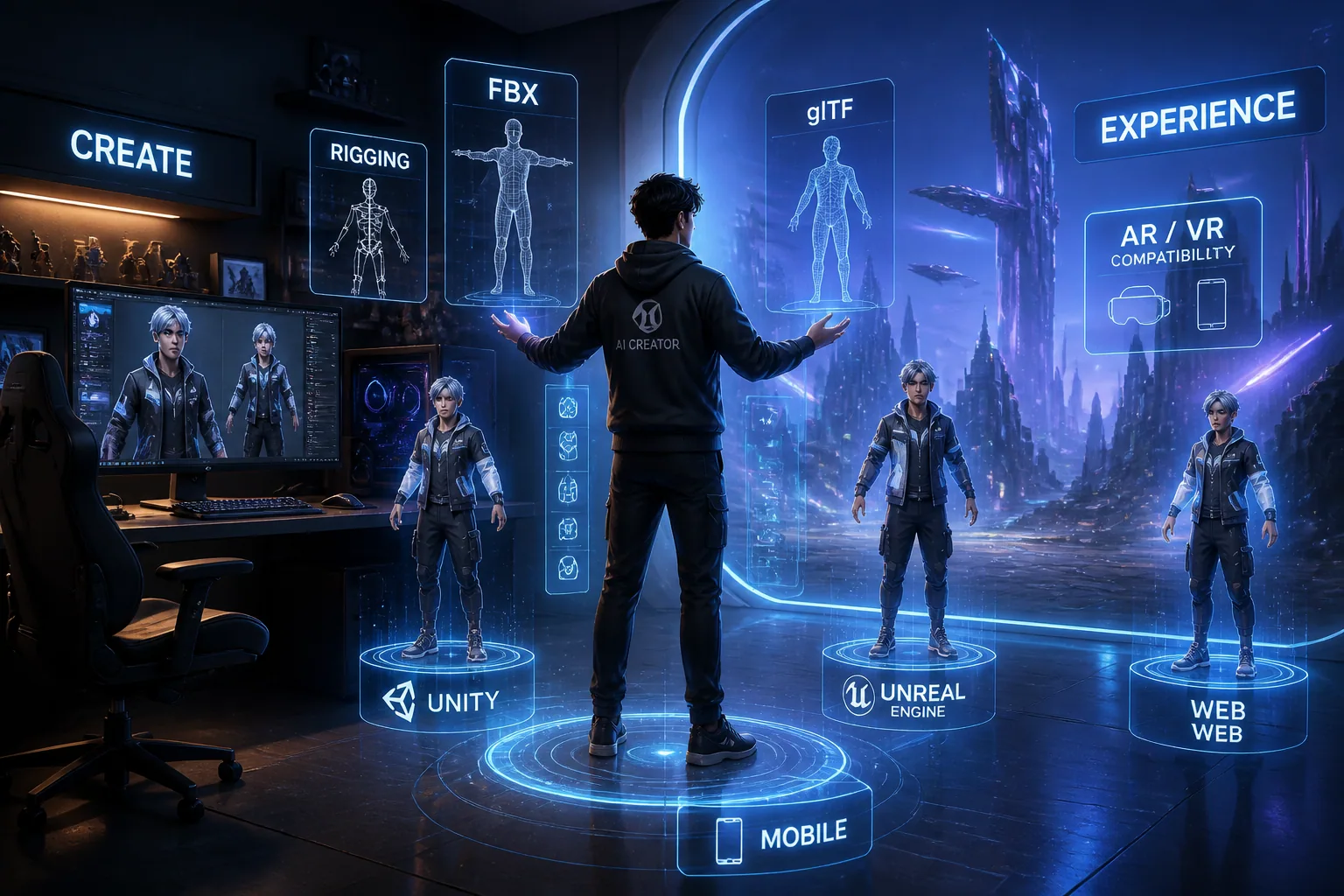
AI Avatars in Gaming, VR & the Metaverse: How to Build a Digital Identity That Works Everywhere
In 2026, an avatar is no longer just a character skin or a profile picture. For gamers, streamers, creators, and metaverse users, it is becoming a portable digital identity that has to look recognizable in a Twitch overlay, feel natural in VR, scale down for mobile, and still hold up in future social worlds. That is a much harder design problem than making something that looks good in one app. It means thinking about standards, rigging, performance, expression, likeness, and ownership from the start.
The good news is that the ecosystem is finally moving toward interoperability. The ISO/IEC Avatar Representation Format standard, DIS 23090-39, is in formal international ballot as of March 2026 and is designed to define a generic, extensible way to exchange personalized avatar models across metaverse platforms. At the same time, glTF 2.0 is already an ISO/IEC standard and is widely used because it keeps 3D assets efficient, compact, and easier to transmit across systems. If you want an avatar that travels well, those standards matter more than ever. Source: https://www.iso.org/standard/91745.html and https://www.khronos.org/gltf/
Why Cross-Platform AI Avatars Matter in 2026
The biggest reason cross-platform avatars matter is simple: people do not live in one digital space anymore. A creator might stream on Twitch, meet fans in VRChat, attend a virtual event, and use the same identity in a gaming lobby or AR filter. If each platform forces a different look, your brand identity gets fragmented. People may recognize your voice or username, but they will not instantly recognize your face, silhouette, or style.
This is where AI-generated avatars become especially valuable. They can help users create a consistent identity faster, test different aesthetic directions, and maintain visual continuity across platforms. But consistency only works if the avatar is built with portability in mind. A beautiful render that collapses on mobile, breaks during facial tracking, or fails export requirements is not really a usable digital identity. It is just a static asset.
The industry is also converging on the idea that avatars should not be locked into one vendor. The Open Avatar Standards Working Group is developing adapters and shared tooling for formats such as UBF, MML, glTF, and VRM, with a focus on rig standardization and ownership protocols. VRM and glTF are also being promoted together as open standards for interoperable 3D avatars. That tells us the direction of travel is clear: future-ready avatars need to be adaptable, not isolated. Sources: https://www.openavatars.org/ and https://vrm-consortium.org/en/common/pdf/VRMC Khronos Press Release 20241024.pdf
What Makes an Avatar Truly Interoperable
An interoperable avatar is one that survives translation between engines, devices, and social spaces without losing its identity. In practice, that means the avatar needs a stable body structure, a compatible skeleton, predictable materials, efficient geometry, and export formats that other platforms can read. Interoperability is not just about file type. It is about whether the avatar can be understood by different runtime systems.
A truly interoperable avatar usually has a few core traits. First, it uses a clean skeletal hierarchy so movement can be retargeted. Second, it separates the mesh from the rig in a way that is easy to export. Third, it includes facial animation data, because expression is a major part of identity. Fourth, it keeps materials and textures simple enough to survive platform limits. And finally, it avoids dependence on one proprietary shader, one plugin, or one engine-specific trick.
The ETSI ARF specification gives a useful snapshot of where the baseline is heading. Its simple profile requires a skeleton hierarchy with inverse bind matrices, skin consisting of mesh and skeleton, GLB meshes with triangle topology, up to four joint influences per vertex, and at least 50 blend shapes for facial animation. That is important because it shows that modern avatar portability is not just about shape. It is also about how motion and expression are structured under the hood. Source: https://www.etsi.org/deliver/etsi_ts/126200_126299/126264/19.01.00_60/ts_126264v190100p.pdf
Choosing the Right 3D Avatar Format: FBX, glTF, VRM and More
Choosing an avatar format is one of the most important decisions in the whole pipeline. FBX is still heavily used in many production workflows because it supports complex rigging and animation interchange. It is often a good intermediate format when moving between DCC tools, game engines, and retargeting pipelines. But FBX is not always the best final delivery format for web, mobile, or metaverse use because it can be heavier and less standardized for real-time distribution.
glTF is increasingly the default choice for portable real-time assets. It was designed to minimize file size and runtime processing, which is exactly what cross-platform avatars need. Because glTF 2.0 is already an ISO/IEC standard, it has strong credibility as a neutral exchange format. The forthcoming glTF 2.1 update, announced in June 2026, goes even further by adding support for complex scenes, standardized spatial primitives, bounding-volume hierarchies, preview thumbnails, and multi-file scene graphs while staying backward compatible. That makes it even more useful for next-generation avatar ecosystems. Sources: https://www.khronos.org/gltf/ and https://www.khronos.org/blog/introducing-gltf-2.1-with-complex-scenes
VRM is another format worth paying attention to, especially for avatar-based social environments. It is closely aligned with glTF and has strong support for global open standards thinking. For many creators, VRM becomes the practical bridge between a character designed in a 3D app and a usable avatar in a social platform or virtual stage. In a modern workflow, FBX may be your working format, VRM your social avatar format, and glTF or GLB your portable deployment format.
In many cases, the smartest approach is to think in layers. Use one format for creation, one for interchange, and one for distribution. That reduces friction when you need to update the avatar later, add animation sets, or move it into a new platform with different technical rules.
Rigging, Facial Tracking and Animation Basics for Multi-World Use
A portable avatar needs more than a nice sculpt. It needs a rig that can animate cleanly in different systems. Rigging starts with the skeleton hierarchy, which defines how the avatar bends and moves. A good rig should keep major joints aligned with human movement so that retargeting works across engines. If the skeleton is overly custom or anatomically inconsistent, portability suffers immediately.
For body animation, keep the joint structure logical and avoid unnecessary bones unless they serve a clear purpose, such as hair, clothing, or accessories that need simulated movement. The ETSI simple profile requirement of up to four joint influences per vertex is a useful benchmark because it limits complexity while still allowing expressive deformation. Clean weighting is often more important than adding more bones. Too many influences can create instability, performance issues, and export problems. Source: https://www.etsi.org/deliver/etsi_ts/126200_126299/126264/19.01.00_60/ts_126264v190100p.pdf
Facial animation is where avatars become recognizable as you. Blend shapes, facial tracking, and expression mapping are central to that. The ETSI profile’s call for at least 50 blend shapes reflects how much facial nuance matters for immersive interaction. This does not mean every creator needs ultra-high-end facial capture, but it does mean the avatar should support brows, eyes, mouth, jaw, and subtle emotional changes at a minimum. If your avatar cannot smile, react, or emote clearly, it will feel dead in social spaces.
For VR and live streaming, also consider tracking compatibility. Some platforms use headset-based face tracking, others use webcam or phone-based systems, and some rely on controller-driven gestures. A good multi-world avatar should degrade gracefully. If a platform cannot use all facial data, the avatar should still look natural with a simpler expression set.
How to Design a Recognizable Digital Identity Across Platforms
Recognition is the heart of digital identity. When people see your avatar, they should instantly associate it with your name, your content, and your personality. That means the design should be memorable at a glance, not just detailed up close. In practice, recognition comes from a few things: silhouette, color palette, face structure, clothing language, and one or two signature visual cues.
Think about how your avatar reads in different contexts. On a large virtual stage, the audience may see the full body. In a Twitch overlay, they may only see the shoulders and head. In a small mobile window, only the facial shape and colors may remain visible. So the design should survive scale changes. Avoid overly intricate visual noise that disappears at small sizes. Instead, build around a strong profile, a distinctive haircut, a unique accessory, or a signature color combination.
This is also where AI-generated portraits can help you define a brand language before moving into 3D. For example, a tool like Selfie AI can be useful for testing visual directions across styles and scenarios before you commit to a final avatar concept: https://findthe.app/selfie-ai-0xi7wd. That kind of exploration is especially valuable if you want your identity to feel cohesive across profile images, animated intros, social posts, and in-world avatars.
A strong rule of thumb is this: if someone can identify your avatar from a silhouette or a cropped portrait, you are on the right track. If they only recognize it when they see every detail at full resolution, the design may not be portable enough.
Optimizing Avatar Performance for PC, Mobile, VR and AR
Performance is what separates a concept avatar from a usable one. Every platform has different limits, but the core goal is always the same: preserve identity while reducing strain on the device. Desktop PCs can handle more detail, but mobile, standalone VR, and AR environments require far more discipline.
VRChat’s Android optimization guidance is a good reality check. It recommends keeping avatars under about 10,000 triangles for Quest and mobile adaptation, consolidating meshes and materials, using one Skinned Mesh Renderer, minimizing texture memory, and merging or atlasing textures and materials. Second Life’s mobile tips similarly suggest avatar budgets of 30,000 to 50,000 triangles including attachments, while desktop avatars often exceed 200,000 triangles, which is not practical for constrained devices. Sources: https://creators.vrchat.com/platforms/android/quest-content-optimization/ and https://lindenlab.freshdesk.com/support/solutions/articles/31000178962-optimizing-your-creations-for-second-life-mobile
These numbers should not be treated as universal laws, but they do show the direction of optimization. Reduce draw calls, limit the number of materials, keep textures efficient, and avoid unnecessarily dense geometry. If your avatar needs multiple versions, build a high-fidelity master and then create device-specific exports. That way, you can preserve the brand while scaling performance appropriately.
Research is also pushing the boundaries here. The Mobile Ultra-detailed Animatable Avatars system, or MUA, claims to make avatars ten times smaller while still enabling 180 FPS on desktop and real-time 24 FPS on Meta Quest 3. HRM²Avatar reports high-fidelity avatars from monocular phone scans with around 120 FPS on mobile and about 90 FPS on standalone VR devices at 2K resolution. ESCA also shows that algorithm and hardware co-optimization can reduce latency by up to 3.36 times while maintaining around 100 FPS for photorealistic face rendering. Sources: https://arxiv.org/abs/2604.18583 https://arxiv.org/abs/2510.13587 and https://arxiv.org/abs/2510.24787
Brand Consistency Tips for Gamers, Streamers and Creators
If you are building a public-facing avatar, brand consistency matters as much as technical portability. Your avatar should feel like part of the same identity system as your channel art, emotes, overlays, thumbnails, and short-form content. When that ecosystem is aligned, people trust the identity faster and remember it longer.
Start by defining a consistent visual vocabulary. Pick a core color family, a face style, a body proportion style, and one or two recurring motifs. If your brand is playful, exaggerate the silhouette and keep the expression lively. If your brand is premium or professional, use cleaner proportions and restrained details. If your content changes often, the avatar should still carry a stable anchor element, such as glasses, hair shape, jewelry, or an emblem.
Streamers should also think about camera framing. Since most viewers will see the avatar in a portrait crop, upper-body crop, or animated alert, the head and shoulders need to communicate personality clearly. Gamers who move between different titles should favor a base model that can accept modular outfits or accessories. Creators working across social worlds should build a small library of expression presets and costume variants rather than making an entirely new identity for every platform.
The most effective avatars are not the most complicated ones. They are the ones that stay recognizable even after compression, streaming, and platform-specific rendering differences. Consistency beats novelty when your goal is to build a durable digital persona.
Privacy, Consent and Likeness Protection in Immersive Worlds
As avatars become more realistic, privacy and consent become non-negotiable. The more your avatar resembles a real person, the more important it is to protect that likeness. This is especially true for AI-enhanced faces, voice matching, and cloned identity assets used in commercial spaces. A policy report from the Synthetic Media Research Network emphasizes new likeness protection rights and argues that using someone’s image, voice, or other attributes in AI avatars must have clear informed consent, especially for commercial use. Source: https://research.reading.ac.uk/synthetic-media-research-network/wp-content/uploads/sites/301/2026/02/AI-human-avatars-Policy-Report-13-February-2026-1.pdf
ETSI’s GR ARF 012 framework also points toward practical privacy protections for avatar-based interaction, including classification of virtual humans, identifiability management, visual security, and digital credential APIs. That matters because identity systems should be able to prove what an avatar is allowed to represent without exposing more personal data than necessary. Source: https://www.etsi.org/deliver/etsi_gr/ARF/001_099/012/02.01.01_60/gr_ARF012v020101p.pdf
A safe workflow is to separate creative inspiration from likeness use. If you are building an avatar based on your own face, make sure you control the source images, the processing environment, and the output rights. If you are working with a commissioned likeness or a public-facing brand character, document consent clearly. If you use AI models to generate or modify faces, be explicit about what is synthetic, what is inspired by you, and what is licensed. In the long run, trust will matter as much as realism.
Best Tools for Building and Exporting AI Avatars in 2026
The best toolchain in 2026 is usually a pipeline rather than a single app. You may start with AI image generation or AI portrait tools to define the character, then move into 3D sculpting, rigging, retargeting, facial setup, and final export. The right workflow depends on whether your end target is a game engine, a VR social world, a streaming setup, or an AR experience.
A practical pipeline often looks like this: concept generation, character cleanup, topology correction, skeleton setup, facial blend shape creation, animation testing, optimization, and export to the target format. In many cases, glTF or GLB becomes the final portable package, with FBX used internally for editing and interchange. VRM can be especially useful when you want avatar-specific social compatibility, while the emerging standard work around avatar representation formats suggests more shared metadata and translation tooling will continue to appear.
If you need a fast way to experiment with your visual identity before building the full 3D version, AI portrait tools can save time. If you want to create a personal model and see how your likeness works in different looks and scenes, Selfie AI is a useful place to start: https://findthe.app/selfie-ai-0xi7wd. From there, you can translate the strongest visual traits into a 3D avatar that is built for portability rather than locked into one format.
Common Mistakes That Break Avatar Portability
One of the most common mistakes is overbuilding the avatar for a single platform. If the model is too dense, too dependent on a custom shader, or too heavily tied to one engine’s features, it may look impressive in the demo and fail everywhere else. Another mistake is ignoring texture memory and material count. Multiple materials and oversized textures can cause performance problems long before geometry does.
A second mistake is poor rig planning. If the skeleton is inconsistent, facial weights are messy, or the avatar uses too many nonstandard bones, portability will suffer. Many creators also forget to test on lower-end devices early. By the time the avatar is finished, it is often too expensive to simplify without losing important details.
Another frequent issue is assuming one export equals one universal avatar. In reality, most cross-platform projects need multiple export variants. Desktop, mobile, VR, and AR each reward different tradeoffs. The best creators prepare a master asset and then derive platform-specific versions from it, rather than trying to force one impossible build to do everything.
Finally, many avatars fail because the design is too dependent on tiny details. If the identity only works because of micro-texture detail or ultra-thin geometry, it will not survive compression, thumbnailing, or device scaling. Strong avatars are built on readable form, not fragile decoration.
A Future-Proof Workflow for Avatars That Travel Everywhere
The future-proof workflow starts with the assumption that standards will keep evolving. That means you should store your avatar as a modular project, not just a single export. Keep the source sculpt, the clean topology, the rig, the facial setup, the materials, the animation library, and the export presets organized and versioned. If a new standard arrives, you want to update the pipeline, not rebuild the identity from scratch.
A smart workflow in 2026 looks like this: define the identity, create a high-quality master model, build a clean rig with facial expression support, make a low-cost portable version, test it across environments, and export to the target standards such as FBX for interchange and glTF or GLB for delivery. If you are targeting social avatar ecosystems, keep VRM compatibility in mind and follow open standards work closely. If you need portability across wearable and inventory systems, metadata standards like ERC-721, ERC-6551, glTF or GLB, and wearable.json are becoming part of the larger ecosystem. Source: https://portal.metaverse-standards.org/document/dl/7950
The best long-term mindset is to design for translation. Your avatar should be able to survive a platform shift, a device shift, or a standard shift without losing the core of who it represents. In 2026, that is what separates a disposable skin from a real digital identity.